


How to Register on Etsy and List a Painting for Sale
 Art DomOctober 16, 2026
A step-by-step guide for artists: from signing in to Etsy for the first time and opening a shop to connecting payouts through Payoneer and publishing a listing for an original painting.
The guide has been updated based on screenshots from October 2026. Explanations of fees, identity verification, and policies are supplemented with links to Etsy’s official help pages.
Important for sellers in Ukraine In the process shown below, Etsy directs sellers to Etsy Payments and Payoneer. At certain stages, Etsy and Payoneer request genuine personal, banking, and tax information. Enter only your own accurate details and select the business status that matches your situation.
Contents
- Go to the Etsy selling page
- Sign in or create an account
- Start opening your shop
- Answer the introductory questions
- Set the language, country, and currency
- Choose a shop name
- Set up payouts
- Connect Payoneer
- Complete verification and security setup
- Go to Shop Manager
- Open Listings and choose a listing method
- Upload photos and videos
- Fill in the category, title, description, and options
- Add tags, a price, and a quantity
- Set up processing, shipping, and returns
- Specify the creator and safety information
- Review the settings and publish the listing
1. Go to the Etsy selling page
Open Etsy’s page for sellers. On the start screen, click “Начать” (Get started). This launches the shop-opening wizard.

2. Sign in to your account or register
If you already have an Etsy account, enter your email address and sign in. New users can follow the “Создать аккаунт” (Create account) link. Etsy also offers sign-in through Google, Facebook, or Apple.
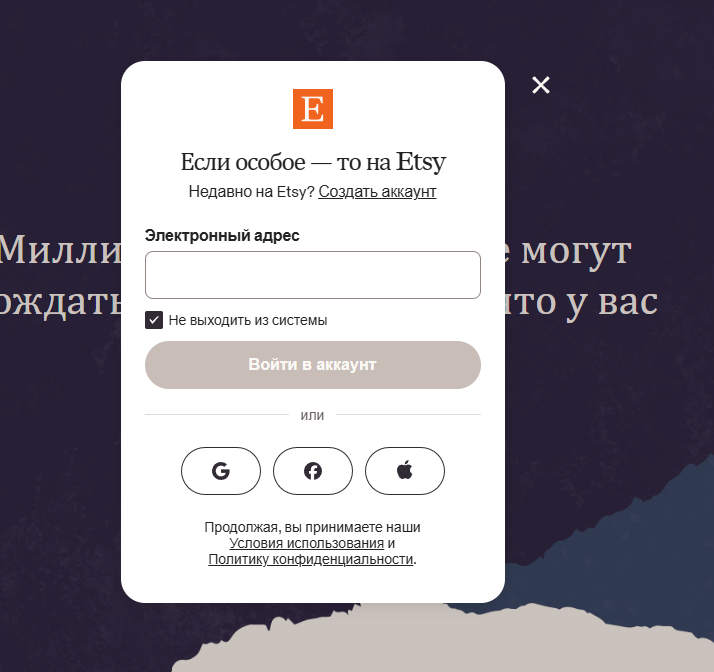
You do not need to create a separate seller account. A regular Etsy account becomes a seller account once you complete the shop-opening wizard.
3. Launch the shop-opening wizard
After signing in, click “Начать” (Get started) again. Etsy will display an introductory screen explaining the main stages: shop setup, seller information, connecting payouts, and opening the shop.

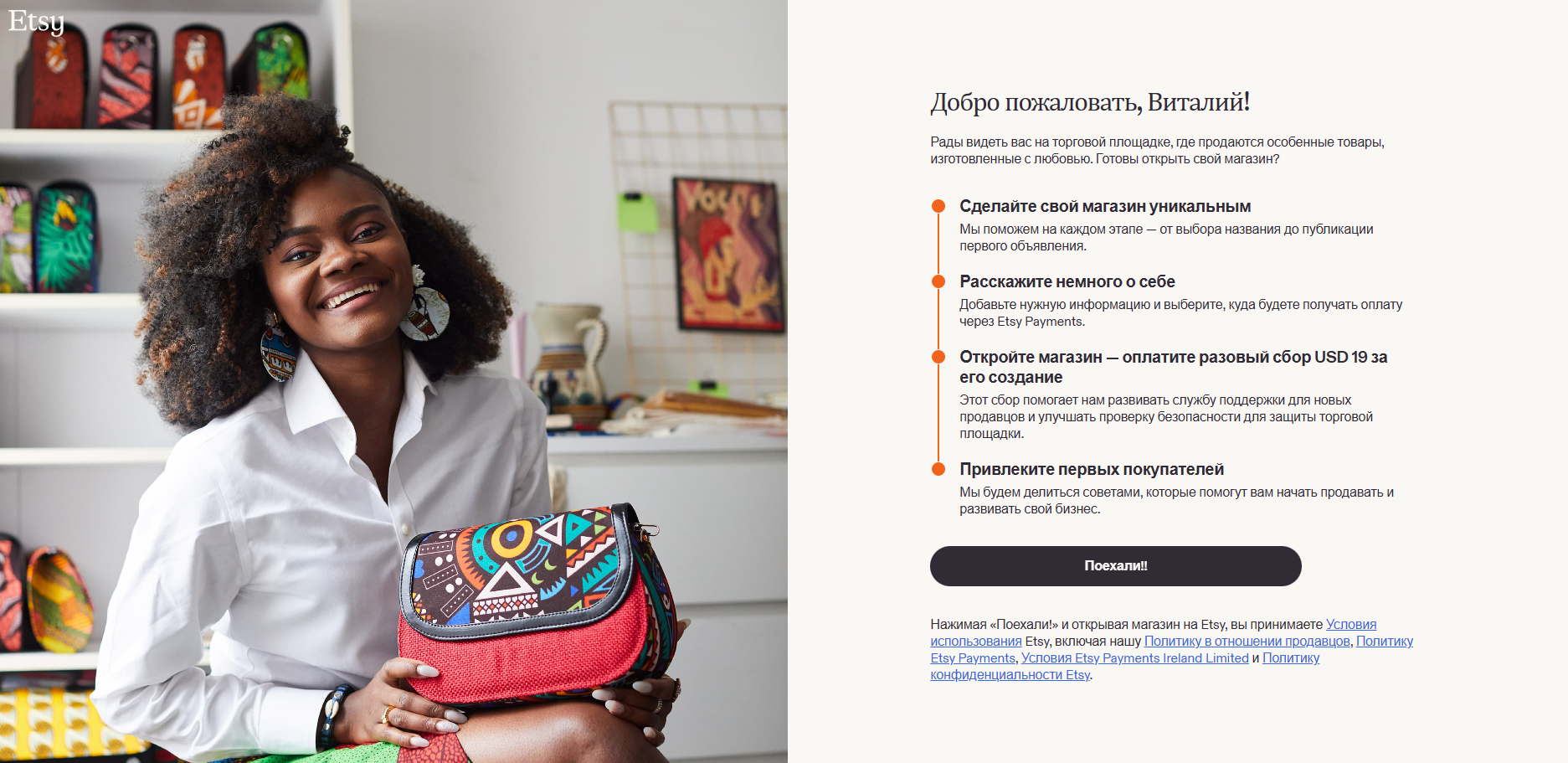
Pay attention to the shop set-up fee. In the provided screenshot, Etsy shows a one-time fee of 19 USD. This is not a universally fixed amount: Etsy’s official fee guidance states that the set-up fee depends on your location and is displayed during registration.
4. Answer Etsy’s introductory questions
Etsy asks why you have come to the platform and where you already sell. These questions help tailor the guidance in your dashboard. For an artist selling their work online for the first time, it makes sense to choose the option about items you make yourself and would like to try selling for the first time.
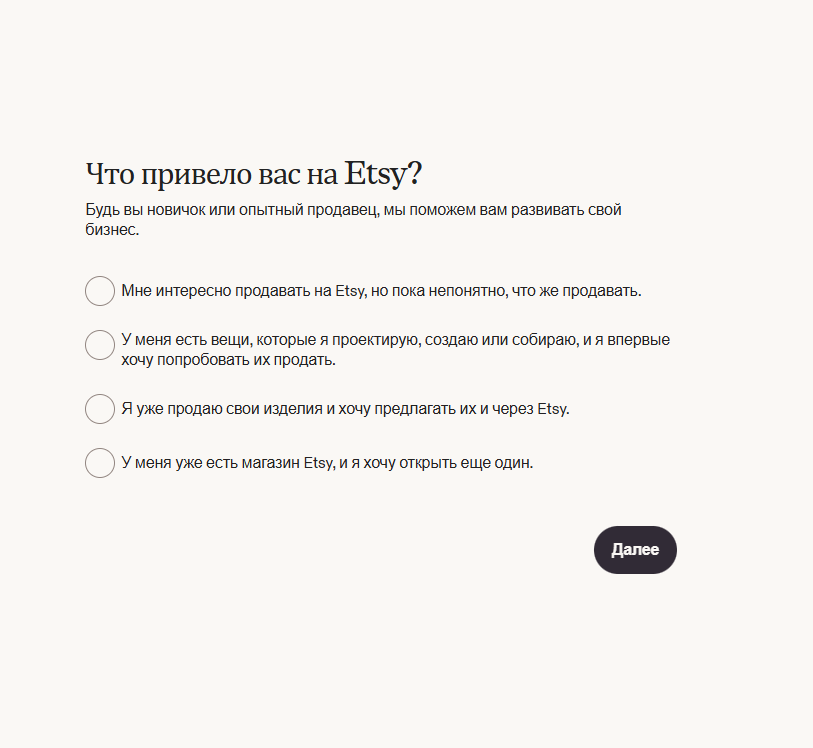
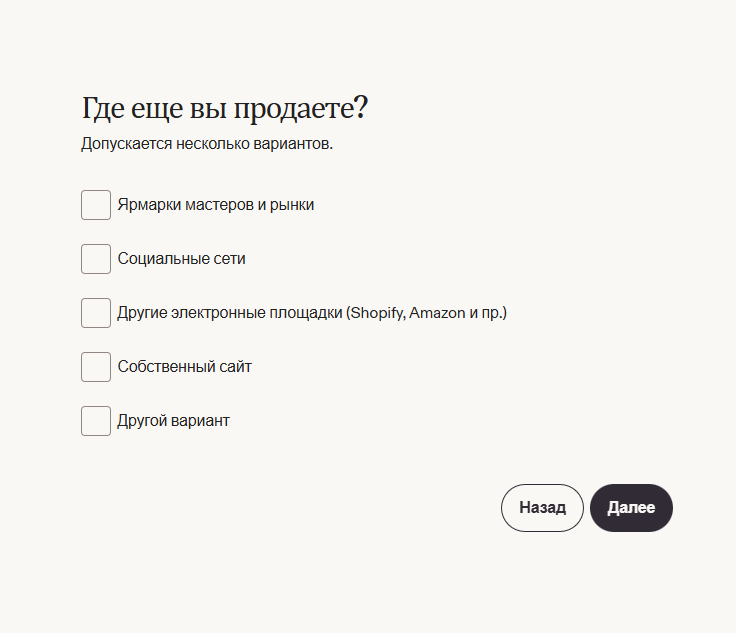
On the next screen, you can select your current sales channels, such as fairs, social media, other platforms, or your own website. If none apply, do not select options just to move forward.
After the introductory questions, click “Создать магазин” (Create shop).

5. Set your shop’s language, country, and currency
On the “Настройки магазина” (Shop settings) page, Etsy asks for three basic settings:
Shop language — the language you will use for your original product titles and descriptions.
Shop country — the country where the seller is based and the shop operates.
Shop currency — the currency in which you set your prices.
For Ukraine, the screenshot shows Ukraine and USD selected — a straightforward option for international sales.
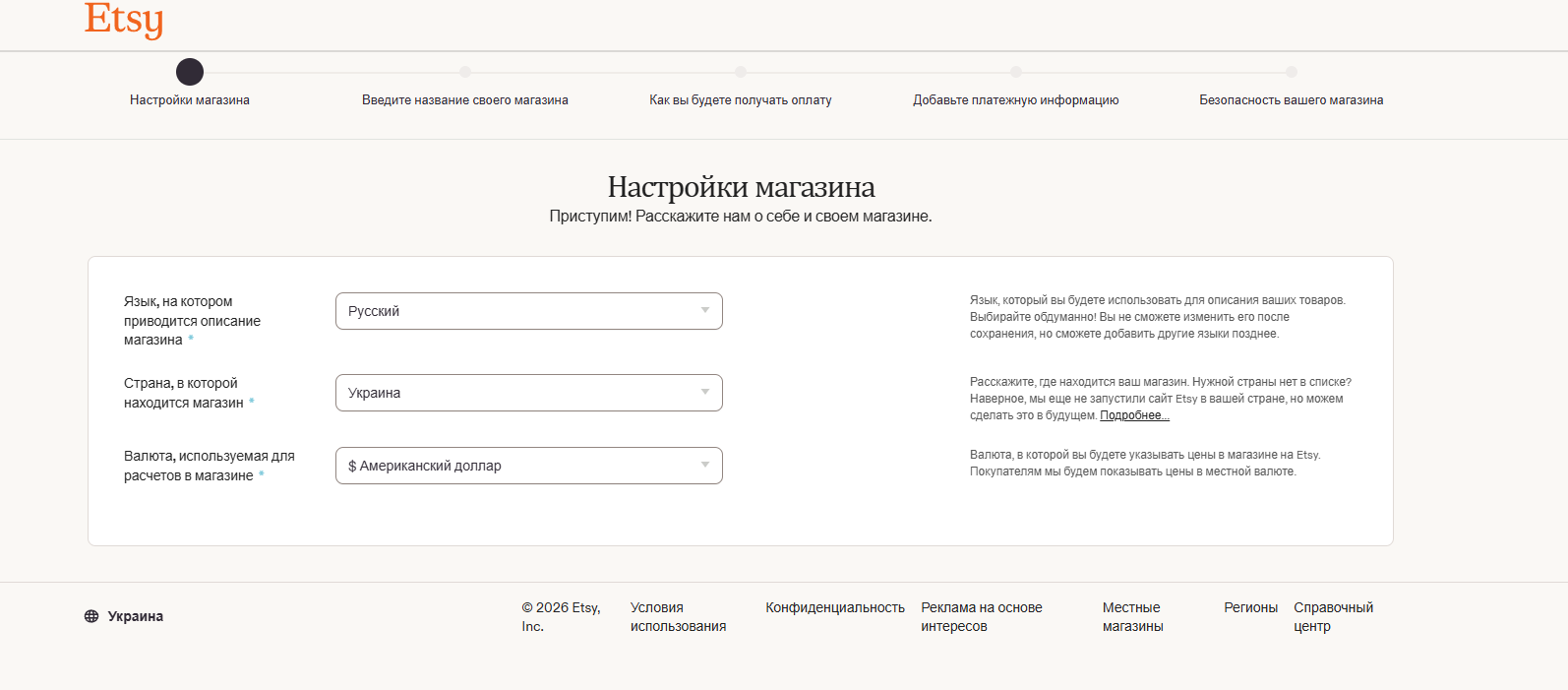
It is best to decide on the language in advance. Etsy warns that you cannot simply switch the shop’s primary language after saving, although you can add translations to your listings.
6. Come up with a shop name
Enter a name in the “Введите название вашего магазина” (Enter your shop name) field. The current interface specifies a limit of 4–20 characters, with no spaces, special characters, or letters with diacritics.
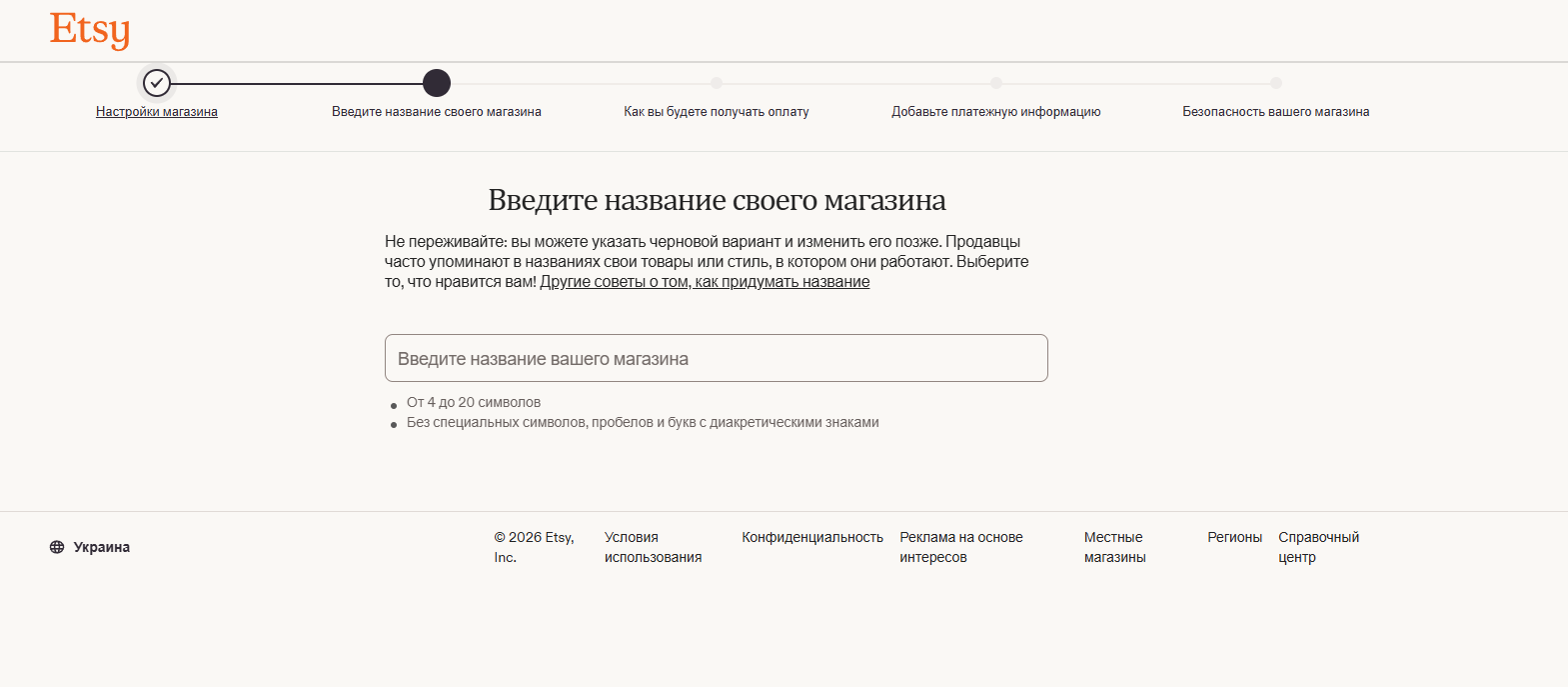
For an art shop, it is best to use a short name that international buyers can easily read. For example:
Illustrative shop-name examples; availability must be checked:
MorningCanvasStudio · CanvasAndLight · ArtOnTheWall
Before making your final choice, check whether another shop is already using the name and whether it conflicts with someone else’s trademark.
7. Specify how you will get paid
At the next stage, Etsy opens the “Как вы будете получать оплату” (How you’ll get paid) page. In your screenshot for a seller in Ukraine, Ukraine is selected as the bank country, and the payment account and transfer to a personal account are shown in USD.
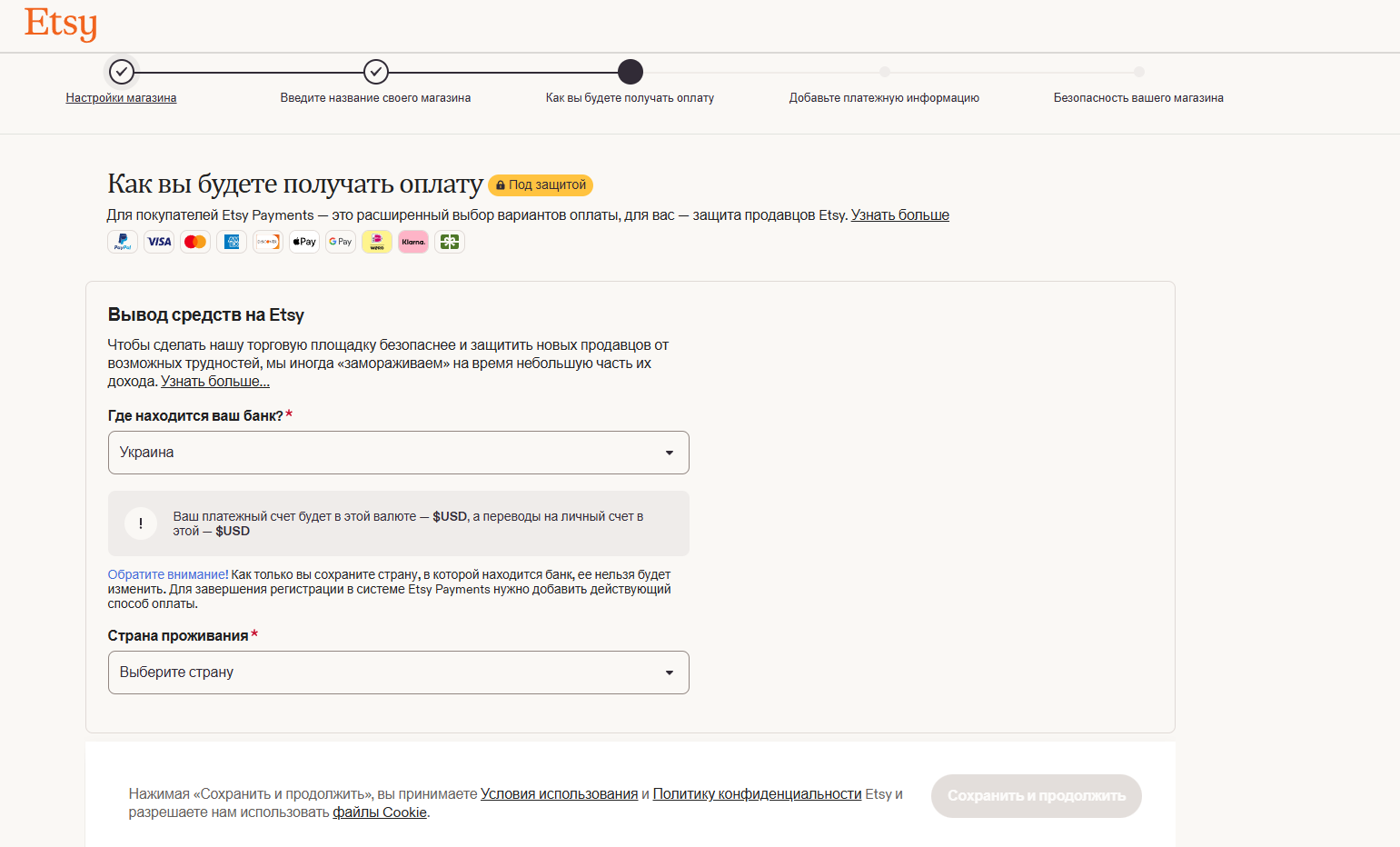
Choose your bank country carefully. On this screen, Etsy warns that the bank country cannot be changed in the usual way after saving. Enter your actual country and a valid method for receiving payouts.
8. Connect Payoneer
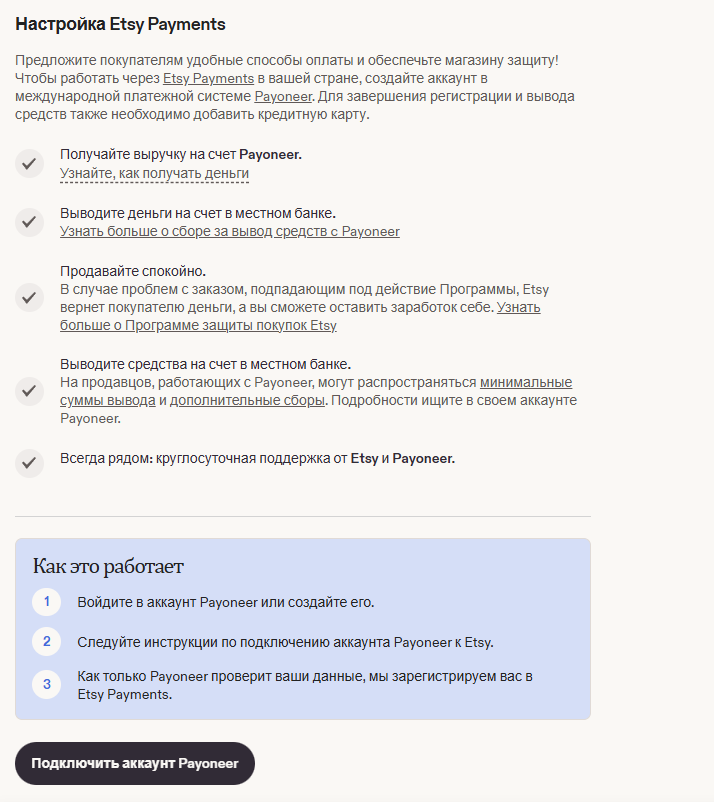
For the Ukrainian setup shown here, Etsy offers the option to create or connect a Payoneer account. Click “Подключить аккаунт Payoneer” (Connect a Payoneer account). This method is also described in the official Etsy Payments / Payoneer help page.
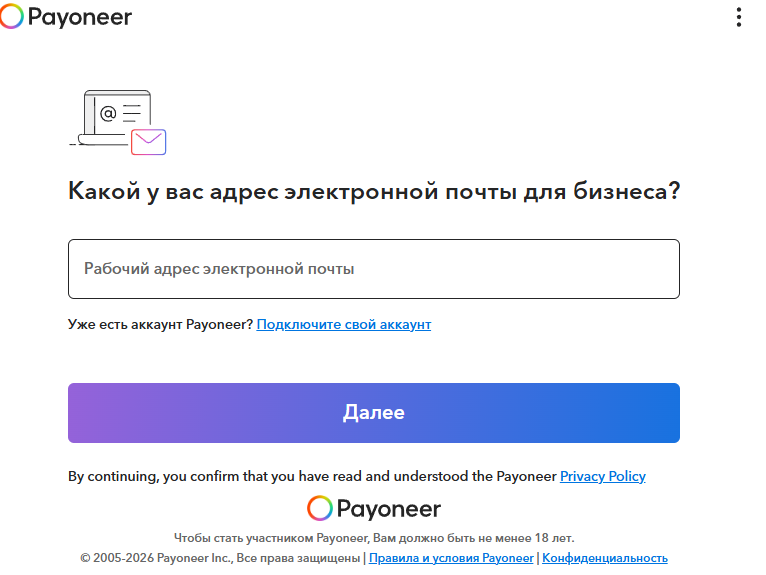
Payoneer will open next. If you already have an account, use the “Подключите свой аккаунт” (Connect your account) link. Otherwise, start registering with a working email address.
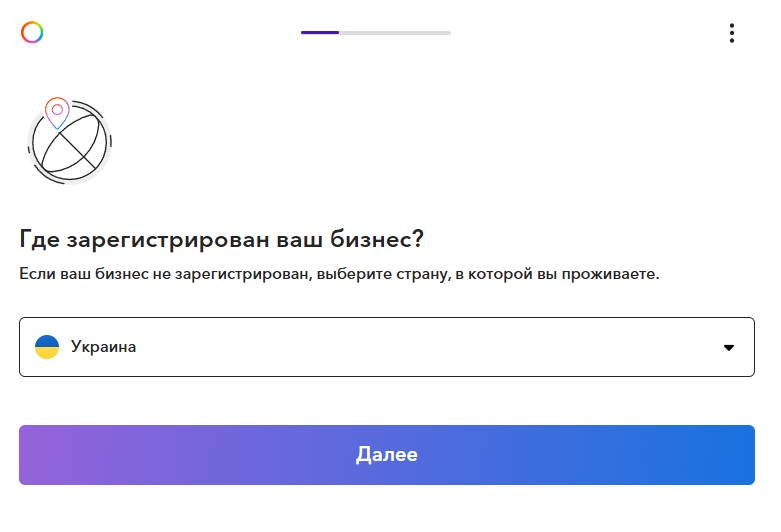
Enter the actual country where your business is registered. If your business is not officially registered, Payoneer asks you to select your country of residence.
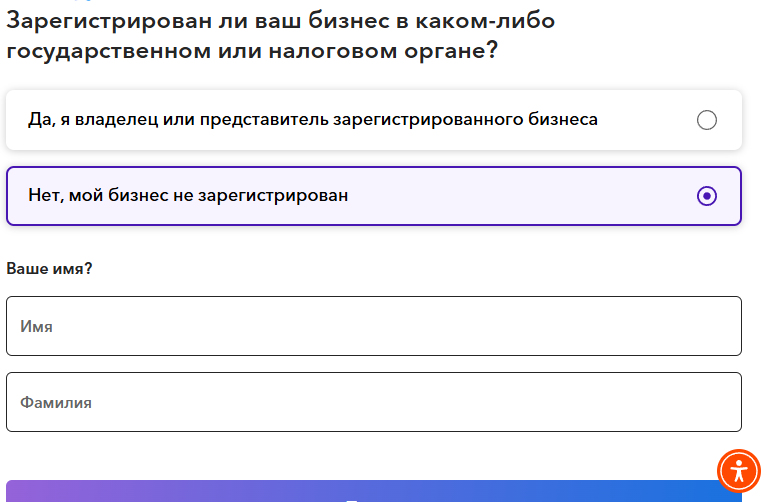
The next question asks whether your business is registered with a government or tax authority. Answer accurately: a registered sole proprietor (FOP) or company should choose the relevant option; an individual without a registered business should select the option for an unregistered business.
9. Complete payment setup, identity verification, and security
After Payoneer, Etsy may request a payment card for paying bills and ask you to complete identity verification. For the Ukrainian setup shown, Etsy’s official help page on Persona describes verification using a government-issued identity document and a selfie.
- Use a document belonging to the shop owner.
- The name and details must match the payment profile.
- Do not cover or edit important parts of the document in the photo.
Before opening the shop, Etsy also requires two-factor authentication. Options include an authenticator app, SMS, or a phone call; availability may depend on the country. Save your backup codes. Details are provided in Etsy’s guide to opening a shop.
Why are there no screenshots of a passport or payment card in this guide? Those screens contain personal and financial information. For a guide, it is safer to show the sequence of actions without publishing real account or identity details.
10. Go to the seller dashboard in Shop Manager
If your shop is already open, there is no need to register again or reconnect Payoneer. Sign in to the Etsy account associated with your shop.
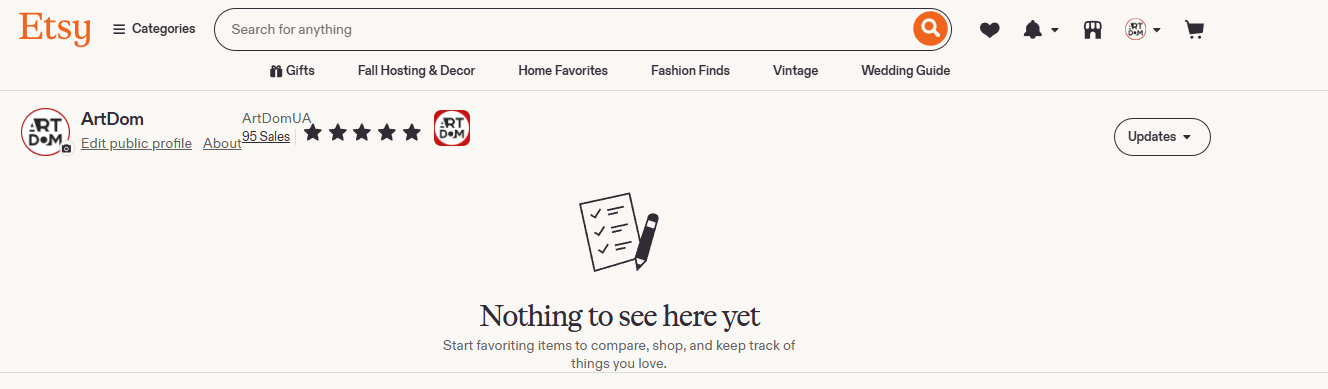
The first new screenshot shows a user’s public profile, not the listing editor. The message Nothing to see here yet refers to an empty favourites section; it does not mean the shop has no listings. Edit public profile changes the profile but does not add a painting.
Click the shop icon in the top bar, next to the notification bell. Go to Shop Manager, the dashboard for managing your shop.
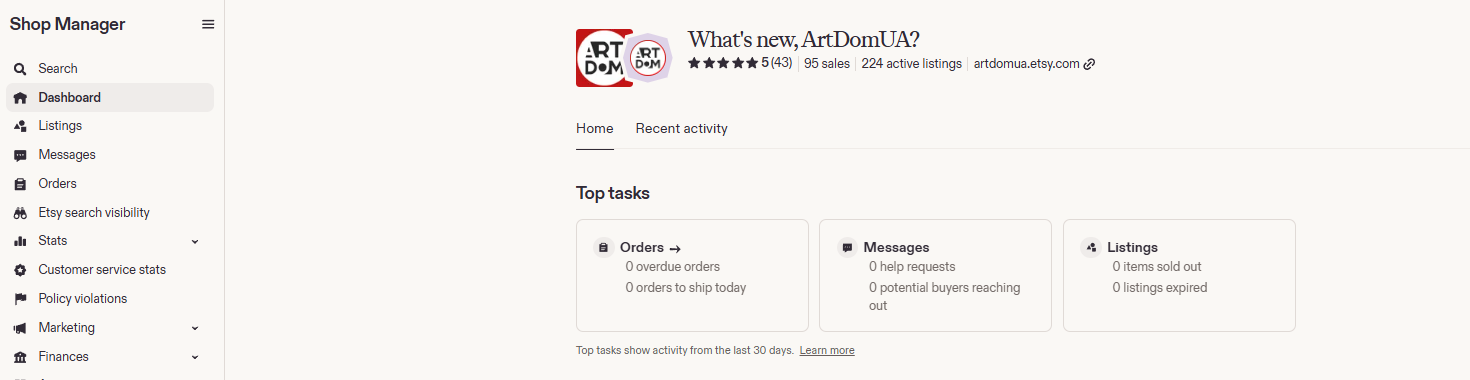
In Shop Manager, the seller menu is on the left. Dashboard provides a shop overview; to work with product listings, use Listings. You do not need to fill in the statistics or informational notices on Dashboard to create a listing.
11. Open Listings and choose a listing method
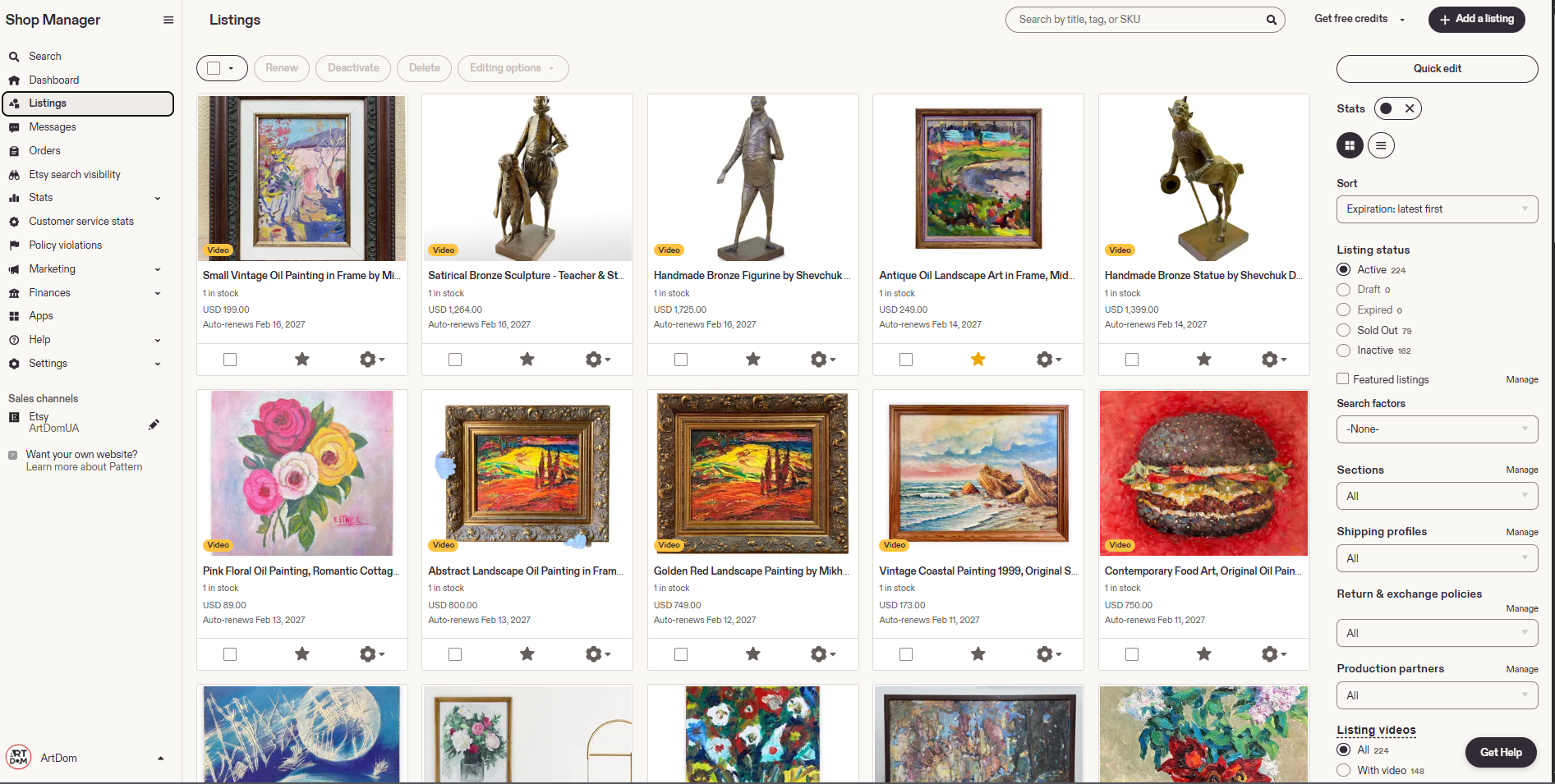
Click Listings in the left menu to open your product list. To add a new painting, click + Add a listing in the upper-right corner. Do not select an existing listing when adding a separate work.
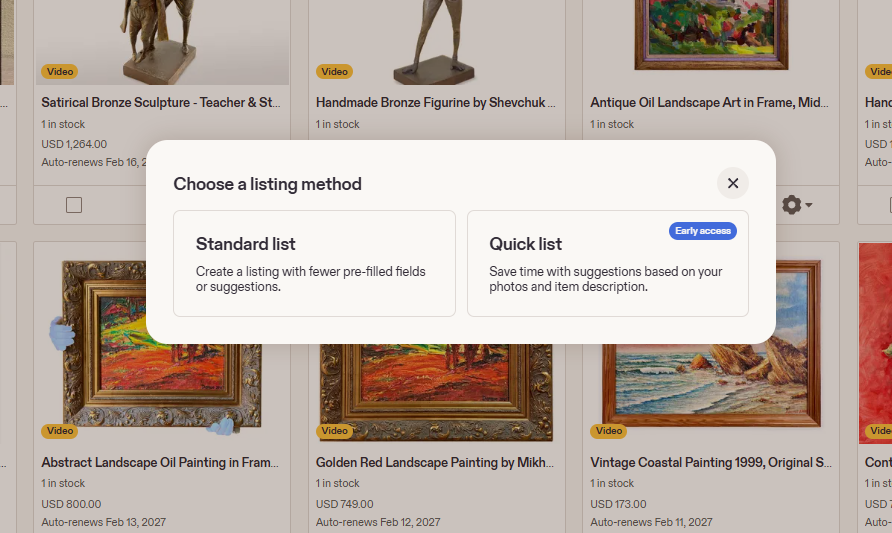
If the Choose a listing method window appears, select how to fill in the listing:
- Standard list — the regular listing-creation method, with fewer pre-filled fields and suggestions. This is the option used in the instructions below.
- Quick list — uses suggestions based on your photos and item description. In the screenshot, the feature is marked Early access, so it may not be available in another account.
After selecting Standard list, New listing will open. At the top of the form, you can see the Photo & Video, Item Details, Item Options, Pricing & Shipping, How It’s Made, Legal and compliance, and Settings tabs. They help you navigate to the corresponding sections. Field names and positions can differ between accounts; the order below follows the provided screenshots.
12. Upload photos and videos of the painting
In Photo and video, click + Upload or drag your files into the Drag and drop files area. The form shown allows up to 20 photos and 2 videos. Drag uploaded images to change their order.
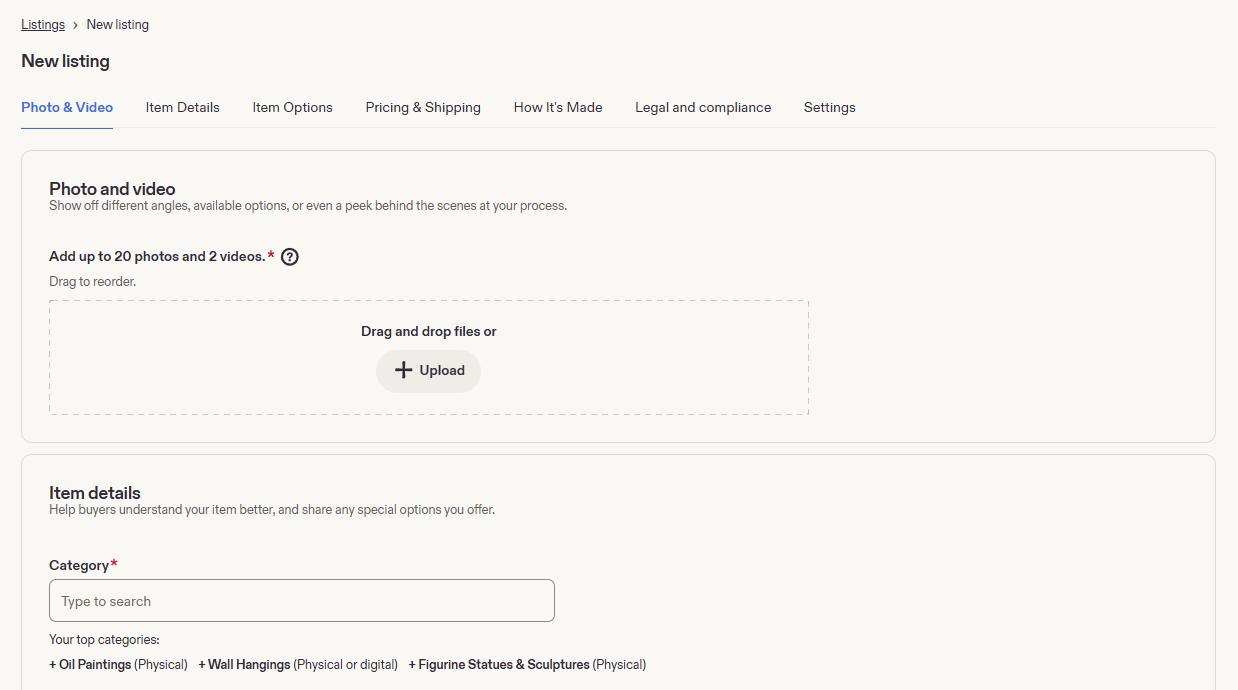
For an original painting, make the first image a straight-on photograph of the entire work. Also show the texture and brushstrokes, the artist’s signature, the sides and depth of the stretcher, the back of the painting, and the frame if it is included.
Use an interior photograph as an additional illustration of scale, not as a replacement for the main photo. Do not show a different painting as the work being sold. You can add packaging and a certificate if the buyer will actually receive them.
A clarification from Etsy’s official help page: the recommended photo width is at least 2000 pixels, and videos should be 5–15 seconds long. You do not need to fill every available slot; it is more important that the photos accurately represent the work.
13. Fill in the category, title, description, and item options
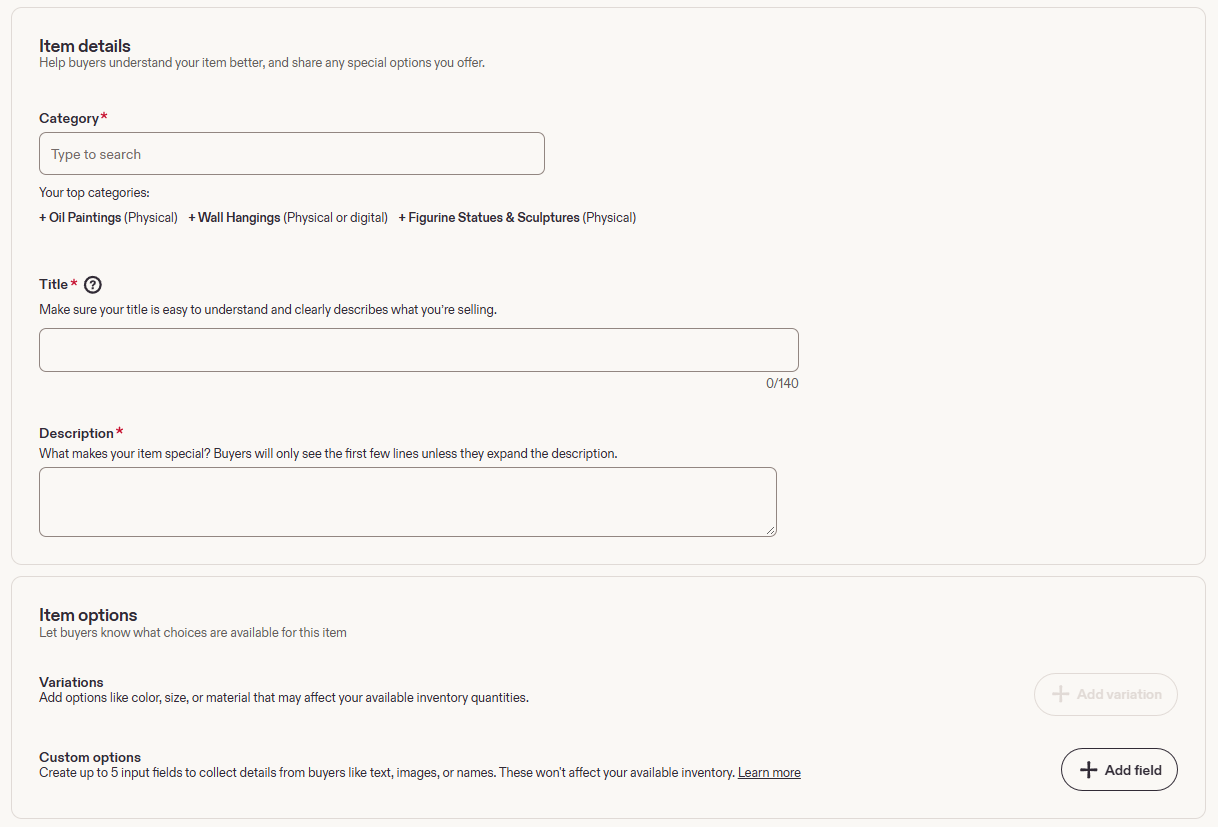
Go to Item details. Fields marked with an asterisk are required. This section contains Category, Title, and Description, with Item options below.
Category
Click Type to search and find the category that matches the work. For a physical oil painting, you can select Oil Paintings (Physical) when appropriate. The Your top categories suggestions in the screenshot belong to that particular shop; a new account may show a different list.
Do not select oil painting for a watercolour, print, or digital file. If the form asks for an item type separately, select Physical item for a painting that you will ship to the buyer. A downloadable image uses the digital item type rather than physical shipping.
Title
In Title, enter a clear listing title describing what you are selling, the medium, and the subject. The screenshot shows a 140-character limit. You do not have to use all of it or repeat the same words.
An example for an original oil seascape on canvas:
Original Seascape Oil Painting on Canvas, Blue Coastal Landscape
This is a wording example, not a set of specifications for every painting. Replace the subject and medium with your own.
Description
Use the first lines to explain exactly what the buyer will receive: an original painting, a physical print, or a digital file. Then specify the artist, medium, support, actual dimensions, year, condition, signature, and frame. Briefly describe the subject and distinctive features of the work. The form notes that buyers initially see only the first few lines and can expand the rest.
Below is a template for a physical painting. Replace the values in square brackets and remove any lines that do not apply to your work:
Original painting by [artist name].
Title: [artwork title].
Medium: [oil / acrylic / watercolour] on [canvas / paper / board].
Size: [width] × [height] cm. Depth: [actual depth] cm.
Year: [year of creation].
Condition: [describe the actual condition and any defects].
Signature: [signed / unsigned; location of the signature].
Frame: [included / not included].
Certificate of authenticity: [included only if supplied].
About the artwork: [brief description of the subject and technique].
Do not promise a certificate, signature, new frame, or perfect condition unless those claims are true. You can prepare an English description for an international audience; the factual specifications must match across all language versions.
Item options — variations and additional fields
Variations are needed when an item genuinely comes in different options, such as different sizes of an artist’s print. Click + Add variation after selecting the category. A single finished painting with fixed dimensions usually does not need variations.
Custom options → + Add field lets you request information from the buyer, such as the wording of a personalised inscription. The interface shown allows up to 5 such fields; they do not affect inventory quantities. Do not add unnecessary fields when you do not offer personalisation.
14. Add tags, a price, and a quantity
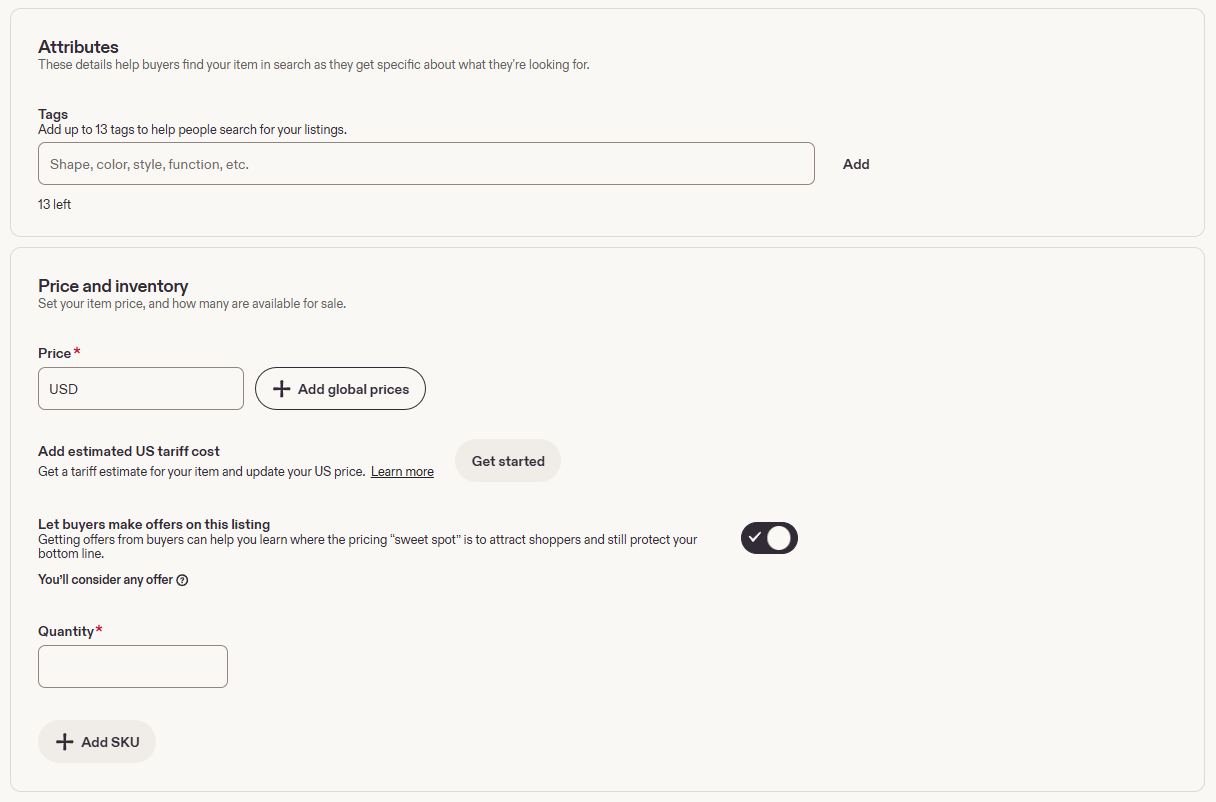
Next, fill in Attributes / Tags and Price and inventory. This screen also contains buyer price offers and the optional SKU field.
Tags — search tags
Enter a relevant phrase and click Add. The form allows up to 13 tags. According to Etsy’s help page on tags, each tag can contain no more than 20 characters. Choose phrases that describe the specific work rather than random popular searches.
Examples for a signed, unframed oil seascape: oil painting, seascape painting, original painting, canvas wall art, coastal wall art, blue wall art, hand painted art, one of a kind, sea landscape, nautical decor, unframed painting, signed artwork, art for living room.
Add these phrases as individual tags, and only when they match the painting. If selecting a category brings up additional attributes, such as material, colour, or size, fill them in with accurate information.
Price and Quantity
Enter the painting’s price in Price. The screenshot uses USD; in your own shop, follow the currency displayed beside the field. For a single original, set Quantity to 1. Add SKU lets you enter an internal stock code, such as ART-001, to keep track of your works.
Factor packaging and seller expenses into your price in advance. A clarification from Etsy’s official help page on fees: a standard listing costs 0.20 USD, and the transaction fee is 6.5%, including shipping and gift wrapping when the buyer pays for them separately. Etsy Payments processing is charged separately, at a rate that depends on the country. Advertising, currency conversion, and other fees may also apply.
Additional price settings
Add global prices lets you set different prices for different sales destinations. Add estimated US tariff cost → Get started opens a tool for estimating tariff-related costs when shipping to the United States. Follow the guidance provided by these tools to get started; do not substitute an arbitrary markup for an actual calculation.
Let buyers make offers on this listing allows buyers to suggest their own price. The toggle is on in the screenshot. To sell only at your listed price, turn it off. Do not automatically copy the toggle setting from someone else’s example.
15. Set up processing, shipping, and returns
Open Shipping, processing, and returns. This section has separate settings for order processing time, shipping, and the return policy.
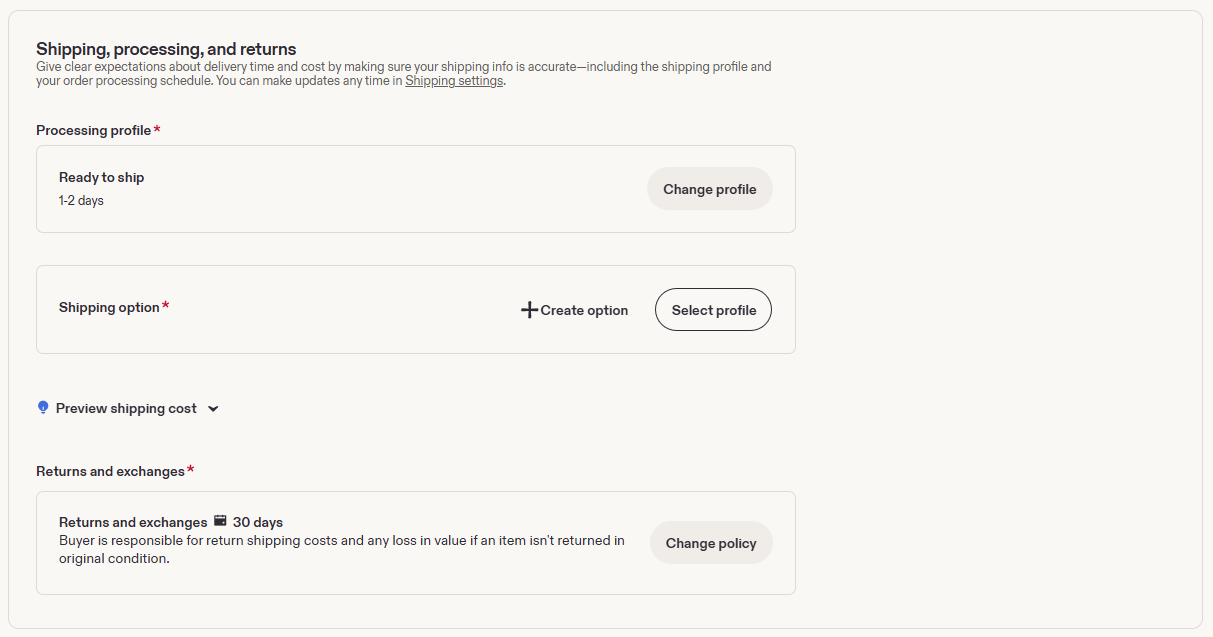
Processing profile — order preparation
The screenshot shows a Ready to ship profile with a processing time of 1–2 days. This is a setting for the shop shown, not a mandatory timeframe for every seller. Use Change profile to select the actual time you need to prepare, pack, and hand the painting over to the carrier.
Processing time is not the same as shipping time. If the work still needs to be painted or printed, do not leave a profile intended for an item that is already ready to ship.
Shipping option
Use Select profile to choose an existing shipping profile. If no suitable profile exists, click + Create option and fill in the fields that open. The new screenshots do not show the shipping-creation window itself, so its internal fields are not reproduced here.
Prepare your shipping origin country and postal code, destinations, carrier, estimated delivery times, cost, and the weight and dimensions of the packed work in advance. After setup, check the calculation using Preview shipping cost.
Packaging is especially important for a painting. Allow for the box, protective corners, and suitable protective materials. Check the carrier’s rate using the finished parcel rather than the dimensions of the unpacked canvas: bulky packaging can significantly affect the cost.
Returns and exchanges
The screenshot shows a 30-day return period. It also states that the buyer pays return shipping and is responsible for any loss in value if the item is not returned in its original condition. This is an example of a current setting, not a universal Etsy rule.
Click Change policy and check that the selected policy matches your actual terms and applicable requirements. Do not copy the 30-day period shown without checking, and do not promise one thing in the description and another in the shop policy.
16. Specify the creator, the work’s origin, and safety information
Answer the three required questions in How it’s made. The same screenshot shows a separate Legal and compliance section below.
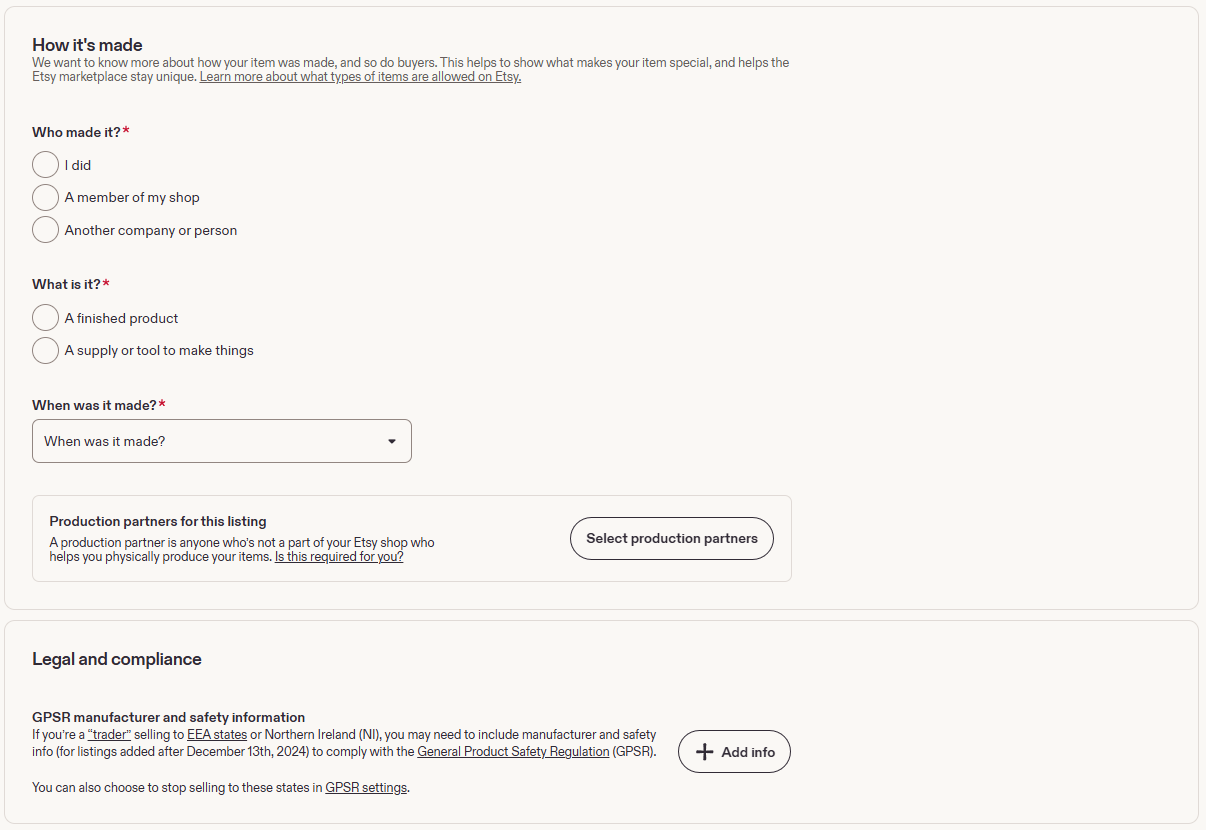
Who made it?
- I did — if you personally created the work.
- A member of my shop — if it was created by a member of your shop’s team.
- Another company or person — if someone else made it; select this option only when it matches the item’s actual origin and Etsy’s rules.
You must not choose authorship simply for convenience. Do not select I did for a painting made by another artist. The presence of the Another company or person option does not mean that all resale is permitted.
A clarification from Etsy’s Creativity Standards: vintage items must be at least 20 years old. For artwork created using AI from the seller’s own prompts, the use of AI must be disclosed in the description. A digital image or print should not be described as an original hand-painted work.
What is it? and When was it made?
For a finished painting, select A finished product under What is it? The A supply or tool to make things option refers to craft materials and tools, not a completed work.
Under When was it made?, enter the actual creation period. Do not choose an older year just to make a contemporary work appear “vintage”.
Production partners
If a partner outside your shop’s team helps produce the item, open Select production partners and add them when required for your product. An example is an external print shop that prints your own illustration. For a painting made entirely by you without such a partner, do not add a fictitious manufacturer.
Legal and compliance — GPSR
In GPSR manufacturer and safety information, the form warns that sellers with trader status who sell to EEA countries or Northern Ireland may need to provide manufacturer and safety information. The + Add info button opens the information-entry fields; the GPSR settings link leads to settings for the relevant sales destinations.
Check whether the requirements apply to your product and status using Etsy’s official explanation of GPSR. The screenshot does not establish the obligations of an individual seller. Do not fill in this section with random information or assume it is optional for all paintings.
17. Review the settings and publish the listing
Settings is at the end of the form. Check how the listing will appear, whether it is included in advertising, and how it will renew.
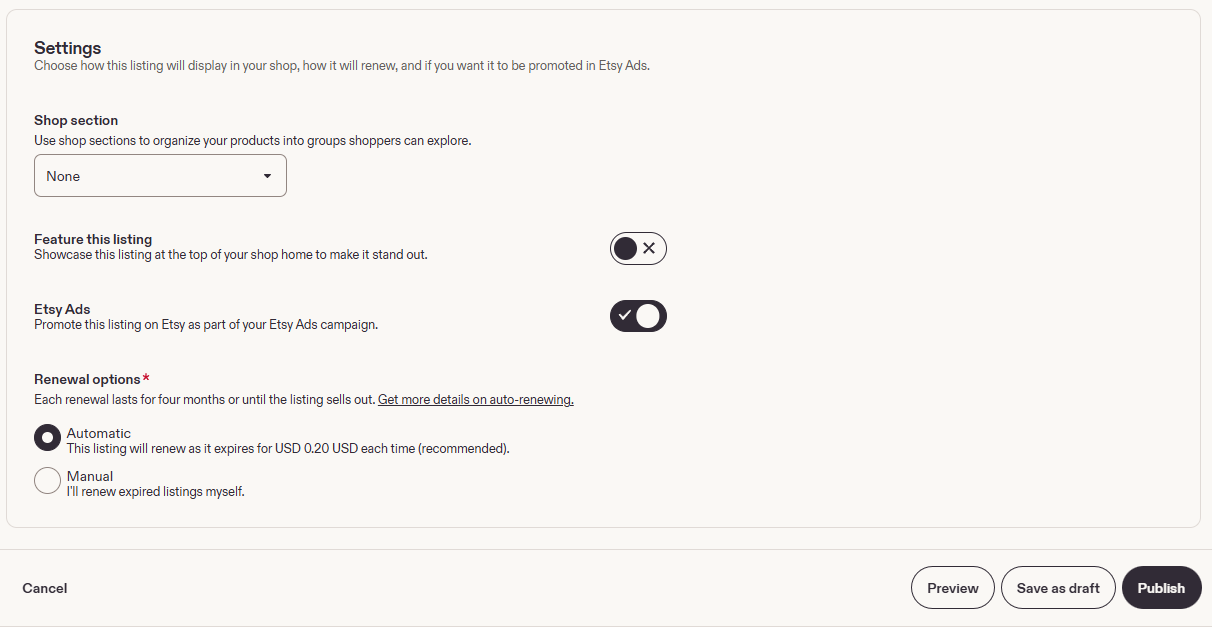
Shop section
Choose an existing section, such as Oil Paintings, Landscapes, or Still Life, if you have created those sections. None means that no section is selected. Do not confuse this internal grouping with Category at the start of the listing.
Feature this listing and Etsy Ads
Feature this listing highlights the item at the top of your shop’s homepage. Turn it on to show this work among the shop’s featured items.
Etsy Ads controls whether the listing is included in an Etsy advertising campaign. The toggle is on in the screenshot. Turn it off if you do not plan to pay to promote this work. Do not confuse the advertising setting with normal product publication.
Renewal options
Automatic renews the listing automatically after it expires. The screen shows a fee of 0.20 USD for each such renewal. Manual means you decide whether to renew an expired listing yourself. The listing period shown is four months or until the item sells out. Fee terms are available in Etsy’s Fees & Payments Policy.
You can select Manual to control expenses. For a one-of-a-kind painting, make sure Quantity is set to 1; the renewal setting is not a substitute for accurate inventory management.
Preview, Save as draft, and Publish
Preview opens a preview of the listing. Check the main photo and its cropping, title, description, price, quantity, what is included, shipping, and returns.
Save as draft saves the draft without publishing it for buyers. Use it when the description, price, or shipping details are not ready yet.
Publish publishes the listing. Click it after completing the required fields and checking all terms. If Etsy displays an error, correct the indicated field and try publishing again.
After successful publication, return to Listings, select Active, and check the listing in your shop’s storefront. According to Etsy’s official help page, a new listing can take up to 48 hours to appear in search and categories. Not appearing in search immediately after publication does not mean the listing is absent from your shop.
The quick route for an already-open shop
Sign in to Etsy → Shop Manager → Listings → + Add a listing → Standard list → photos → category, title, and description → tags, price, and quantity → processing and shipping → authorship and required information → Settings → Preview → Publish.
What artists should prepare in advance
- To open the shop: an email address, phone number, identity document, details for Etsy Payments / Payoneer, and a payment card for Etsy bills.
- For the listing: photos of the actual work, the artist’s name, title, medium, support, dimensions, year, and an honest description of its condition.
- For the sale: the price, quantity, what is included, packaging, realistic processing times, shipping destinations and costs, and return terms.
Registration is completed when opening the shop. Repeat steps 10–17 for each new painting; existing shipping, processing, and return profiles can be reused when they suit the particular work.