



How to Start Selling on Artfinder: A Step-by-Step Guide
 Art DomSeptember 14, 2026
Artfinder is an international marketplace for selling original works of art. To start selling on the site, simply registering a standard account is not enough: you need to create a profile, submit an artist application, complete the application form, and upload examples of your work.
Below is a detailed step-by-step guide with interface screenshots showing where to click, what to fill in, and how to submit your application for review.
Important: this guide covers the seller application stage. Once Artfinder approves your application, you will gain access to a full artist seller account where you can add new artworks and configure your shop.
Contents
- Open Artfinder and create an account
- Open the login and registration form
- Create an account
- Check your profile
- Find the Apply to Sell section
- Apply as an independent artist
- Answer the initial questions
- Fill in your personal information
- Enter your returns address
- Upload 4–6 artworks
- Submit your application for review
- What happens after you submit your application
- What to do after approval
- Quick summary
Step 1. Open the Artfinder website
Go to www.artfinder.com. On the homepage, you will find the user icon in the top-right corner. This is where you can log in or register.
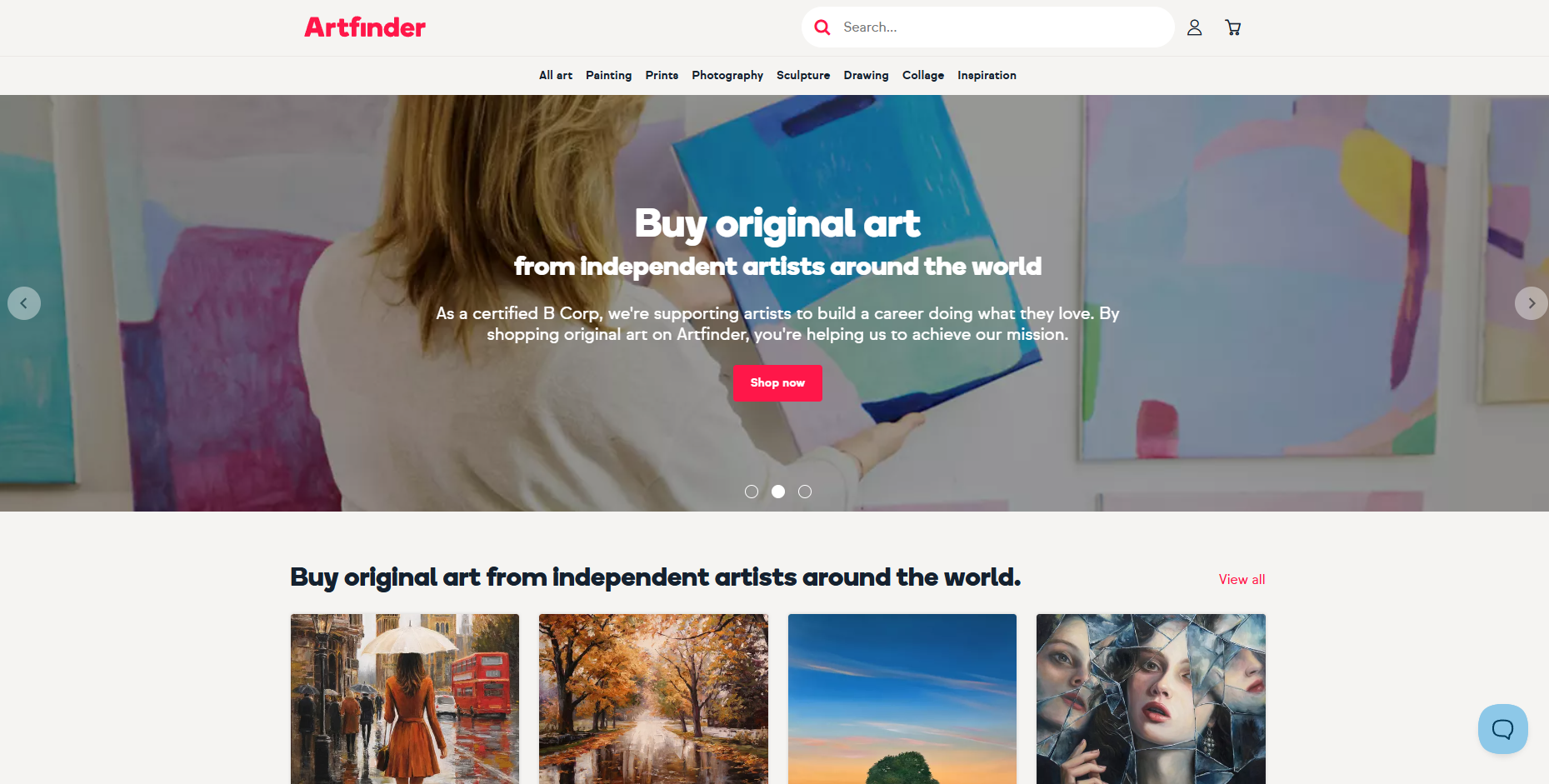
If you do not have an account yet, start with this icon.
Step 2. Open the login and registration form
After clicking the user icon, the Log in or create an account window will open.
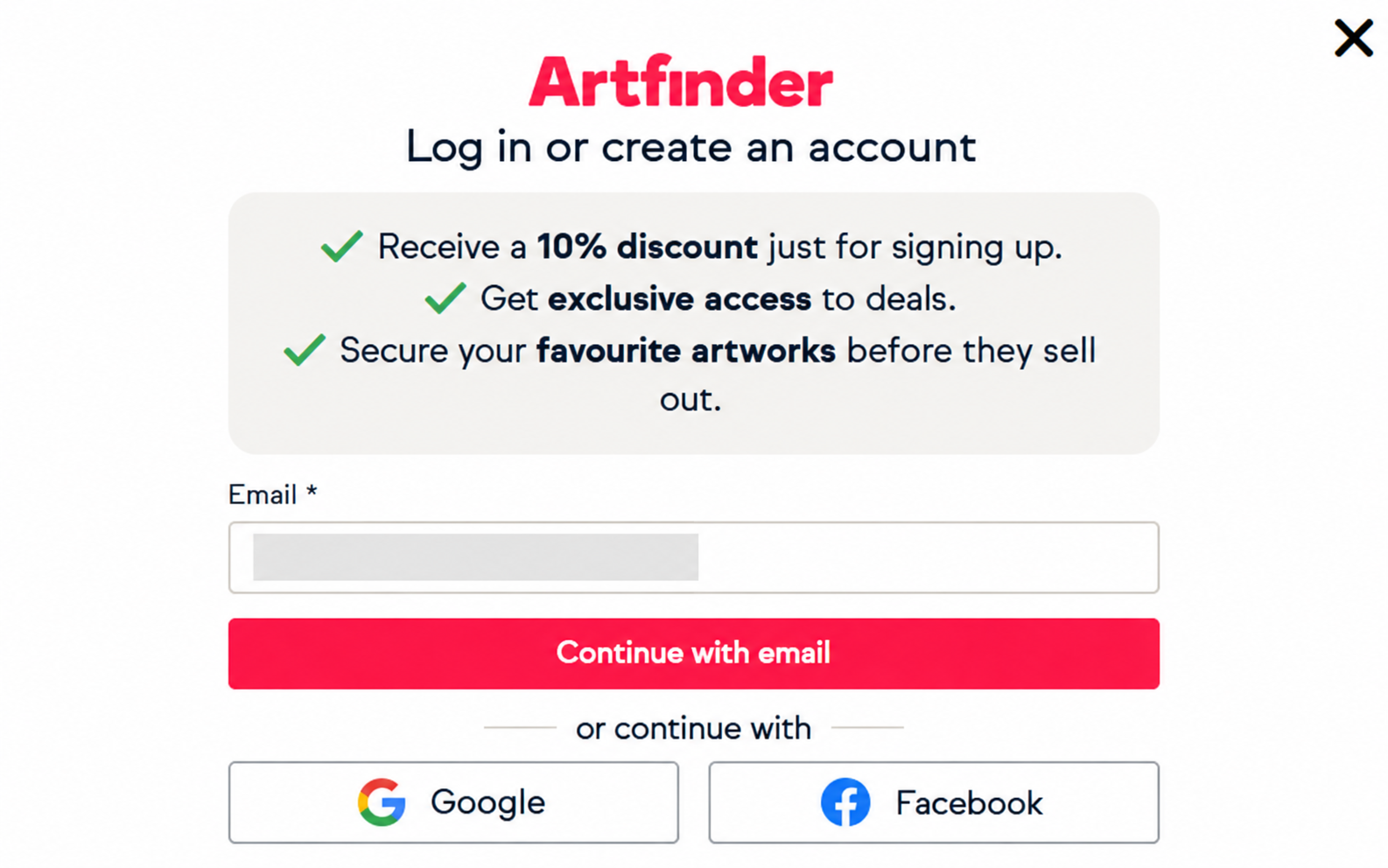
Here you can:
- log in or continue using your email;
- continue with Google;
- continue with Facebook.
For a new registration, enter your email address and continue creating your account.
Step 3. Create an account
On the next screen, fill in the basic information:
- First name;
- Last name;
- Email.
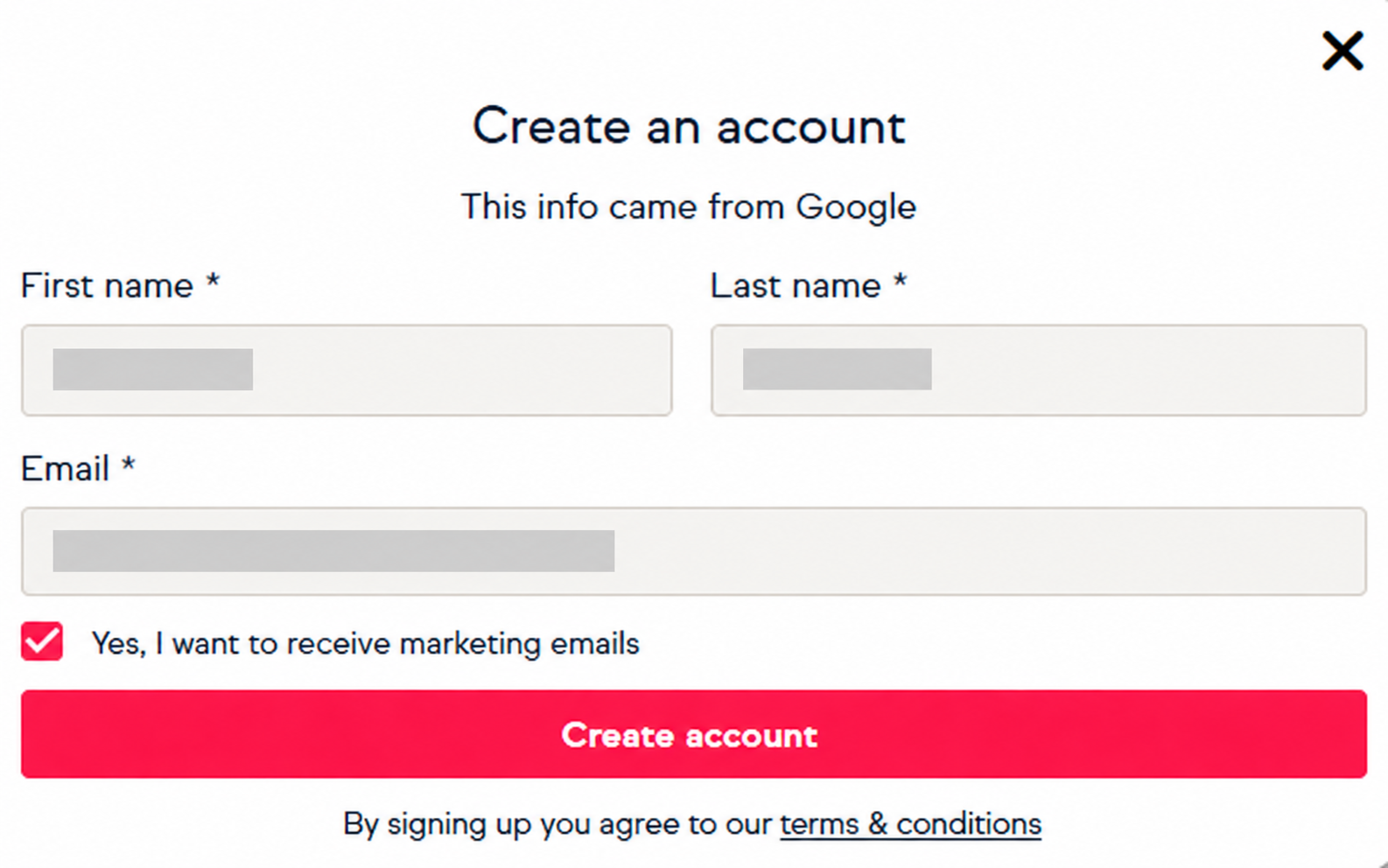
Below the form is an option to receive marketing emails. It is optional and does not affect your ability to sell artworks. Once the fields are complete, click Create account.
Step 4. Check your profile
After registration, your standard user profile will open.
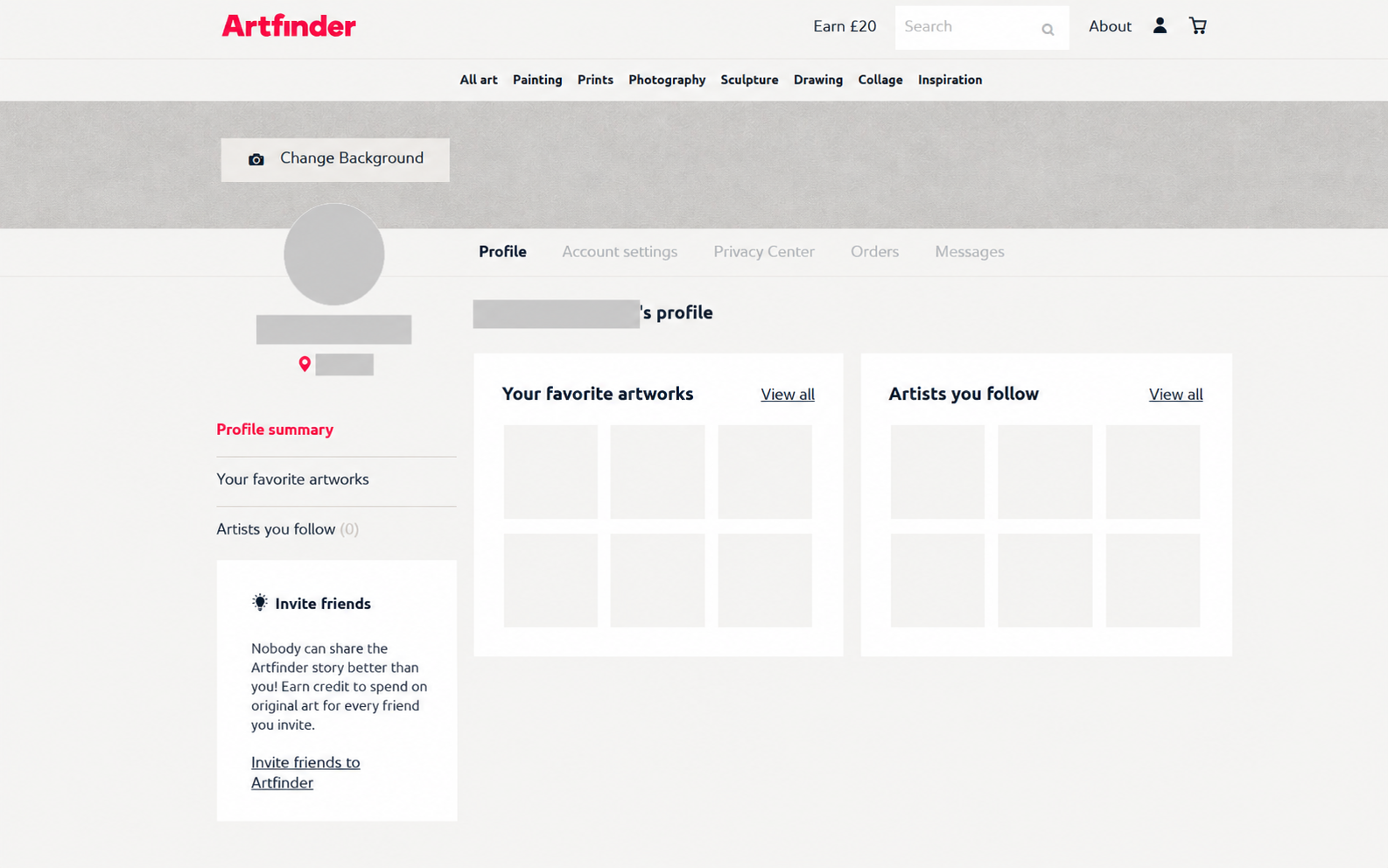
At this stage, you do not yet have seller status. This is only a basic account, and the next step is to apply as an artist.
Step 5. Find the Apply to Sell section
Scroll almost to the bottom of the website. In the footer, find the For Artists column. Inside it, there is an Apply to Sell link.
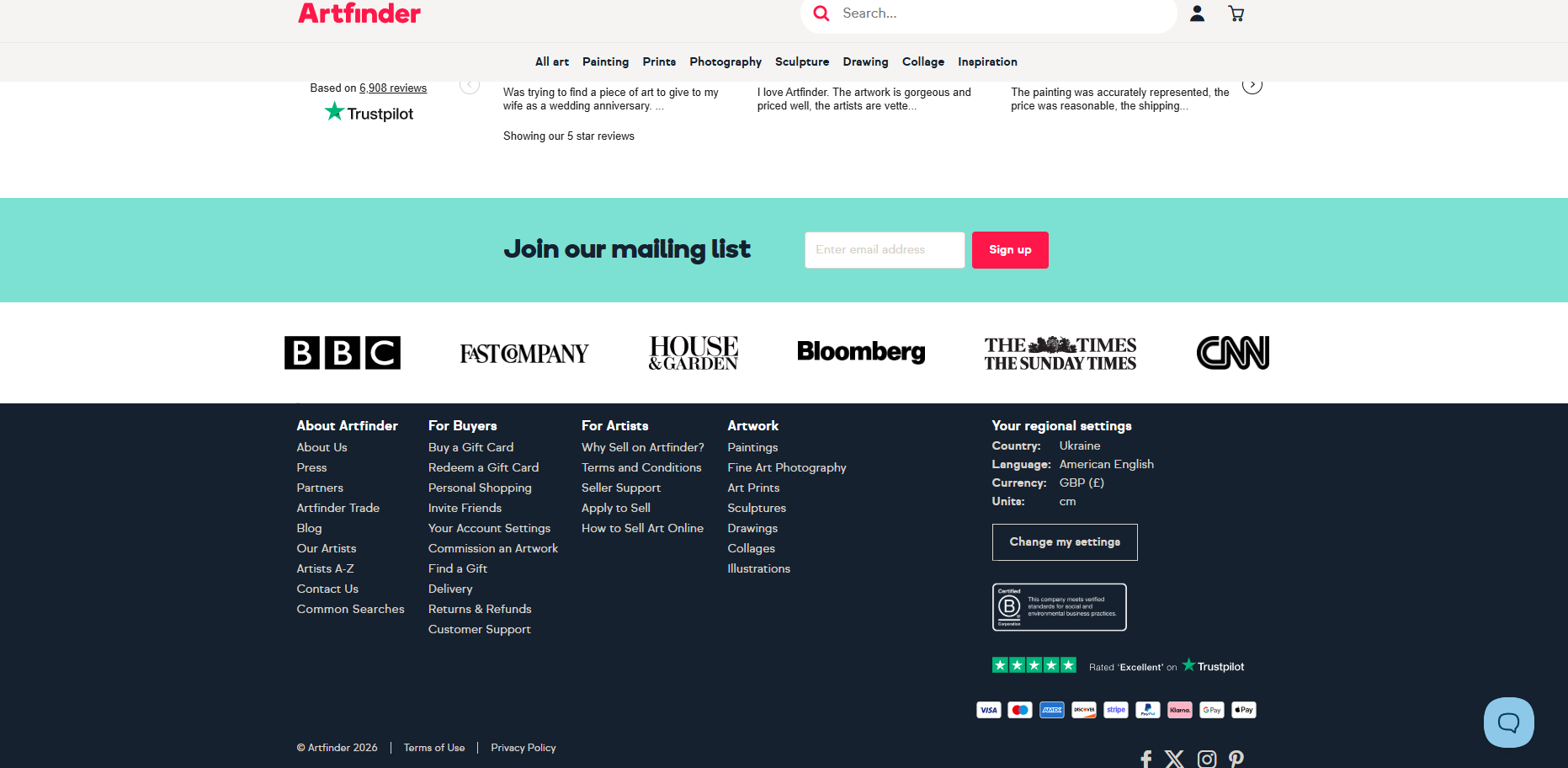
This is the link that starts the seller application process.
Step 6. Choose the artist application option
A page explaining how selling on Artfinder works will open. Scroll to the Register your interest today section.
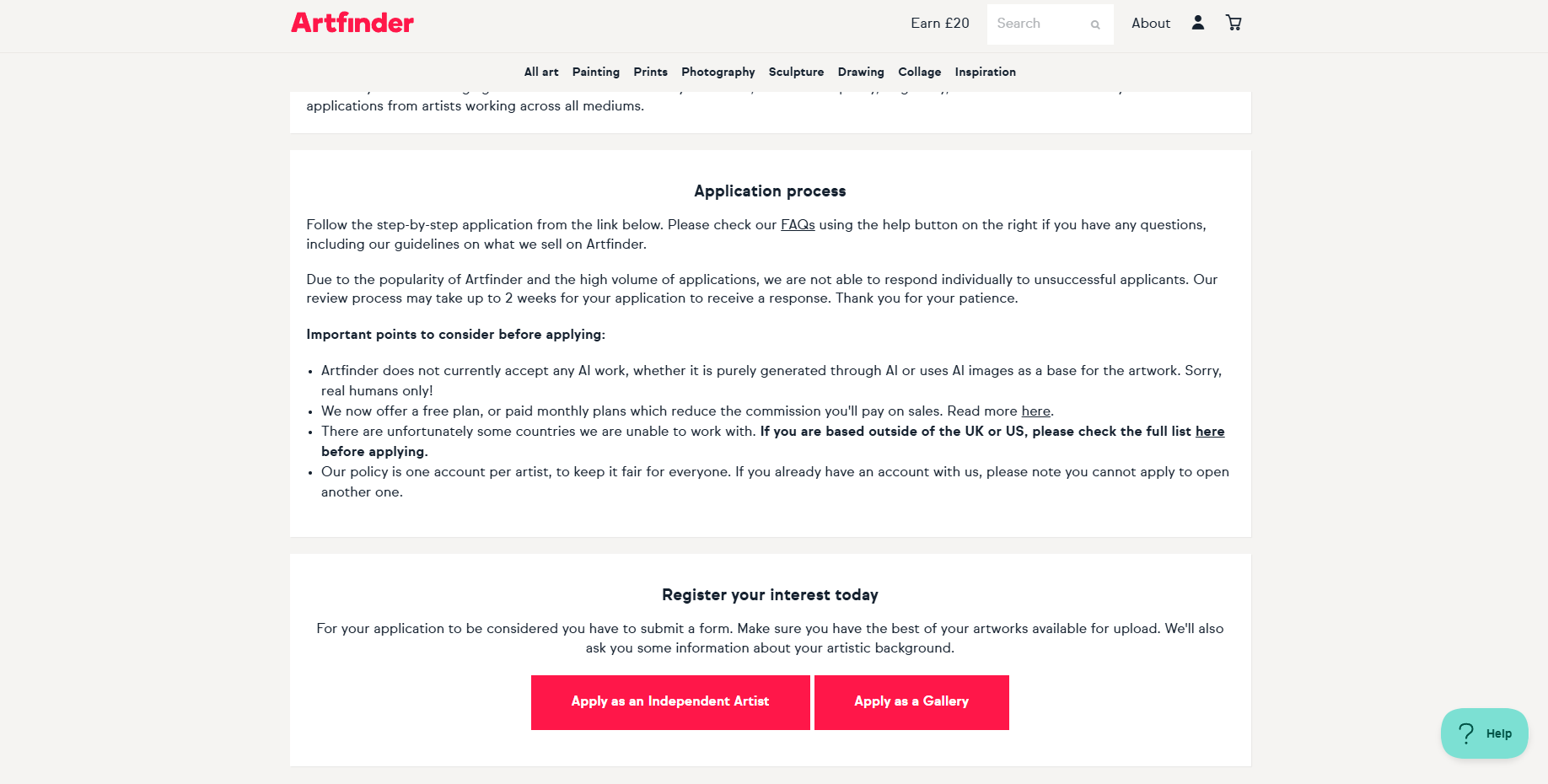
There are two options:
- Apply as an Independent Artist — if you sell your own work independently;
- Apply as a Gallery — if you are applying as a gallery.
If you want to sell your own paintings or other artworks, choose Apply as an Independent Artist.
Step 7. Answer the initial questions
After opening the application, the About you tab will appear. At the top, you will see the application stages: About you, Returns, Your artworks, and Submit for review.
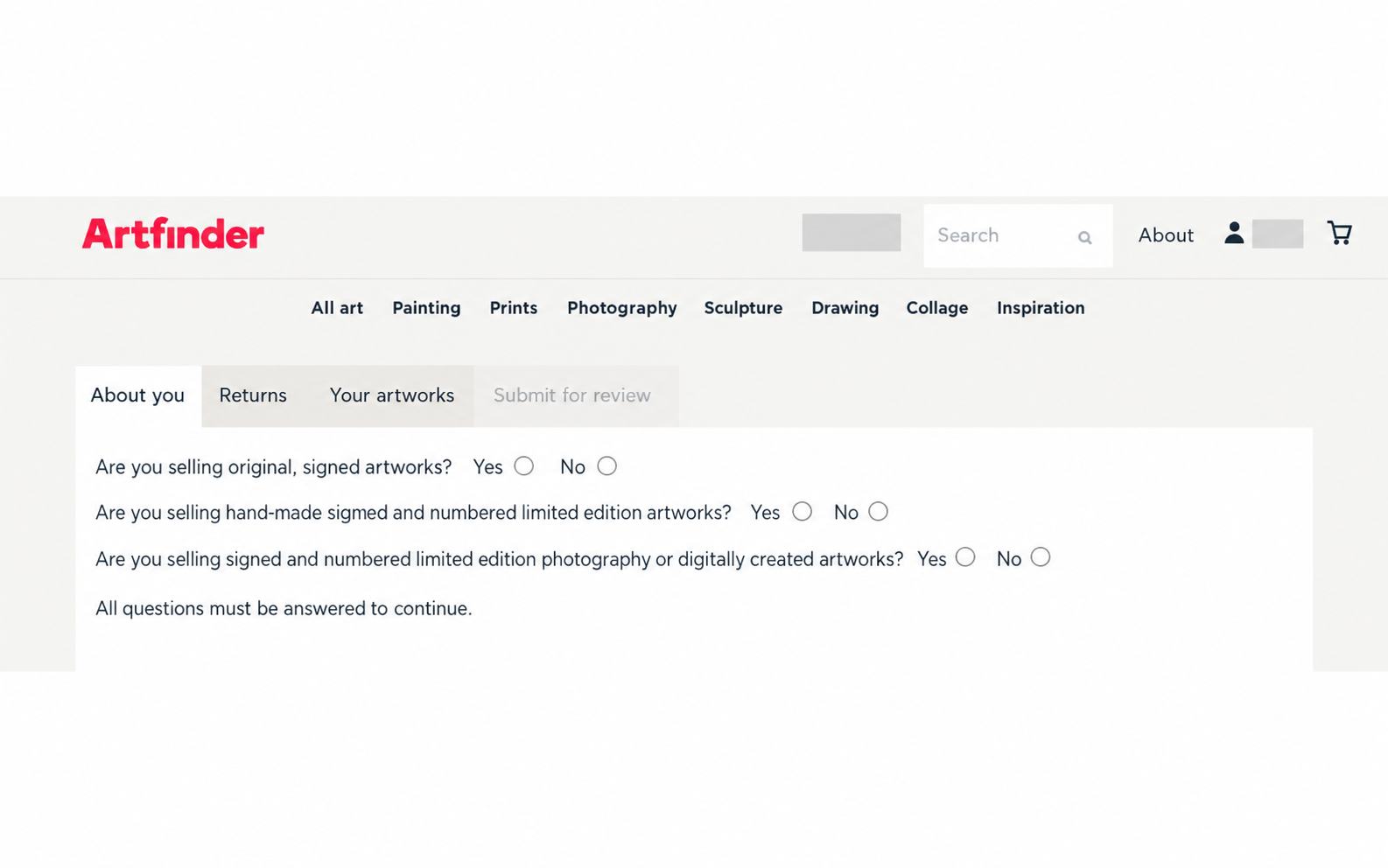
The form asks three questions:
- Are you selling original, signed artworks? — whether you sell original signed artworks.
- Are you selling hand-made signed and numbered limited edition artworks? — whether you sell handmade, signed, and numbered limited-edition artworks.
- Are you selling signed and numbered limited edition photography or digitally created artworks? — whether you sell signed and numbered limited-edition photography or digitally created artworks.
Answer honestly based on the type of art you create. Then continue with the rest of the form.
Step 8. Fill in your personal information
Next, enter the artist's personal information.
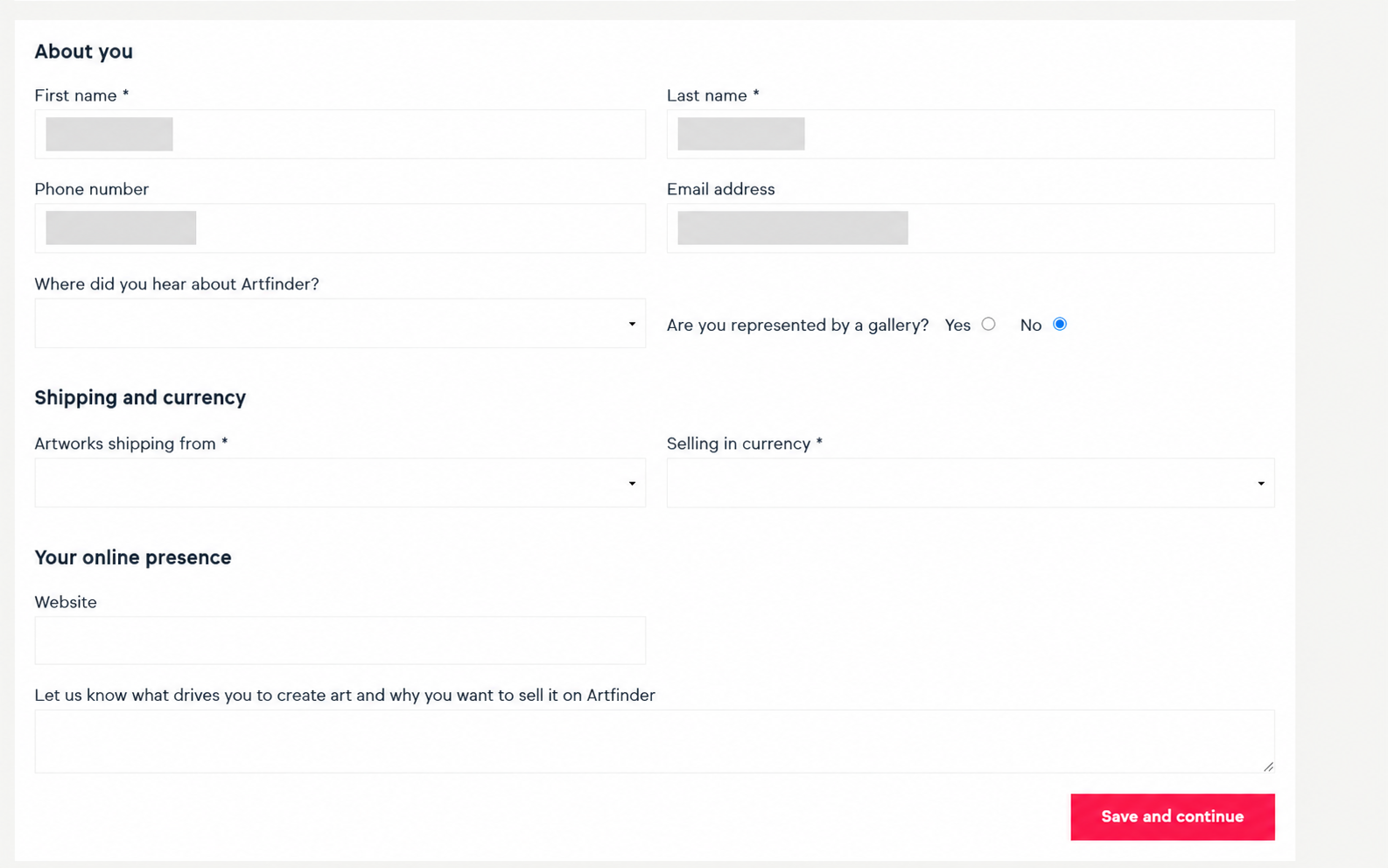
What to fill in
- First name;
- Last name;
- Phone number;
- Email address;
- Where did you hear about Artfinder?;
- Are you represented by a gallery?.
If you are not represented by a gallery, select No.
Shipping and currency
In this section, specify:
- Artworks shipping from — the country from which you will actually ship your artworks;
- Selling in currency — the currency in which you will list your prices.
Your online presence
In the Website field, you can add your website, portfolio, or another page showing your work. Below it is a larger text field where you should briefly and clearly explain:
- who you are as an artist;
- the style you work in;
- the materials you use;
- what inspires you;
- why you want to sell your work on Artfinder.
Write this text in English. When you are finished, click Save and continue.
Step 9. Enter your returns address
The next section is Returns. Here you need to enter the address that Artfinder can use if an artwork needs to be returned.
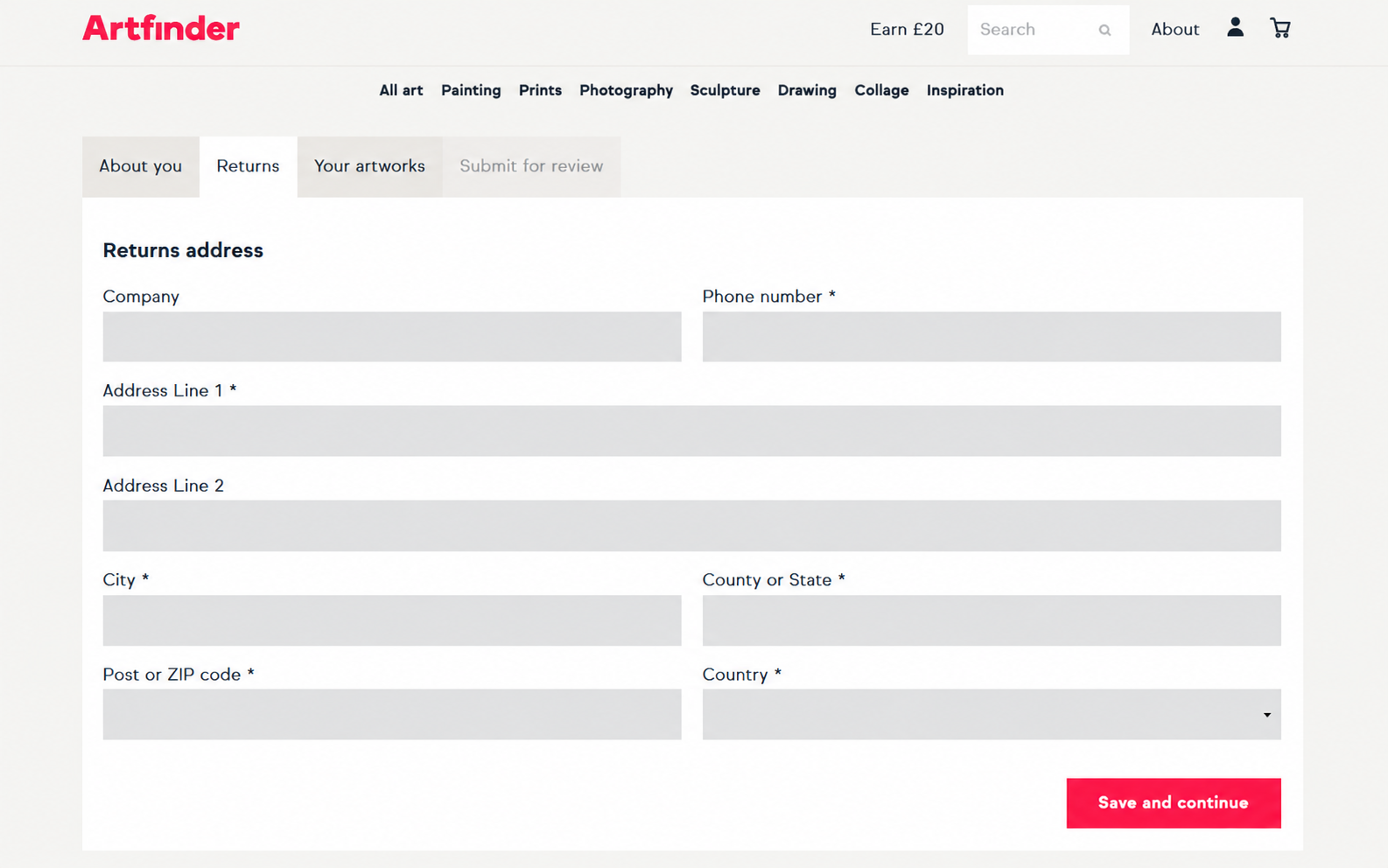
Fill in the following fields:
- Company — company name, if applicable;
- Phone number;
- Address Line 1 — main address;
- Address Line 2 — additional address line, if needed;
- City;
- County or State;
- Post or ZIP code;
- Country.
Make sure the address is real and usable. When you are finished, click Save and continue.
Step 10. Upload 4–6 artworks
Next, the Your artworks section will open. This is a key part of the application because Artfinder needs to review examples of your work.
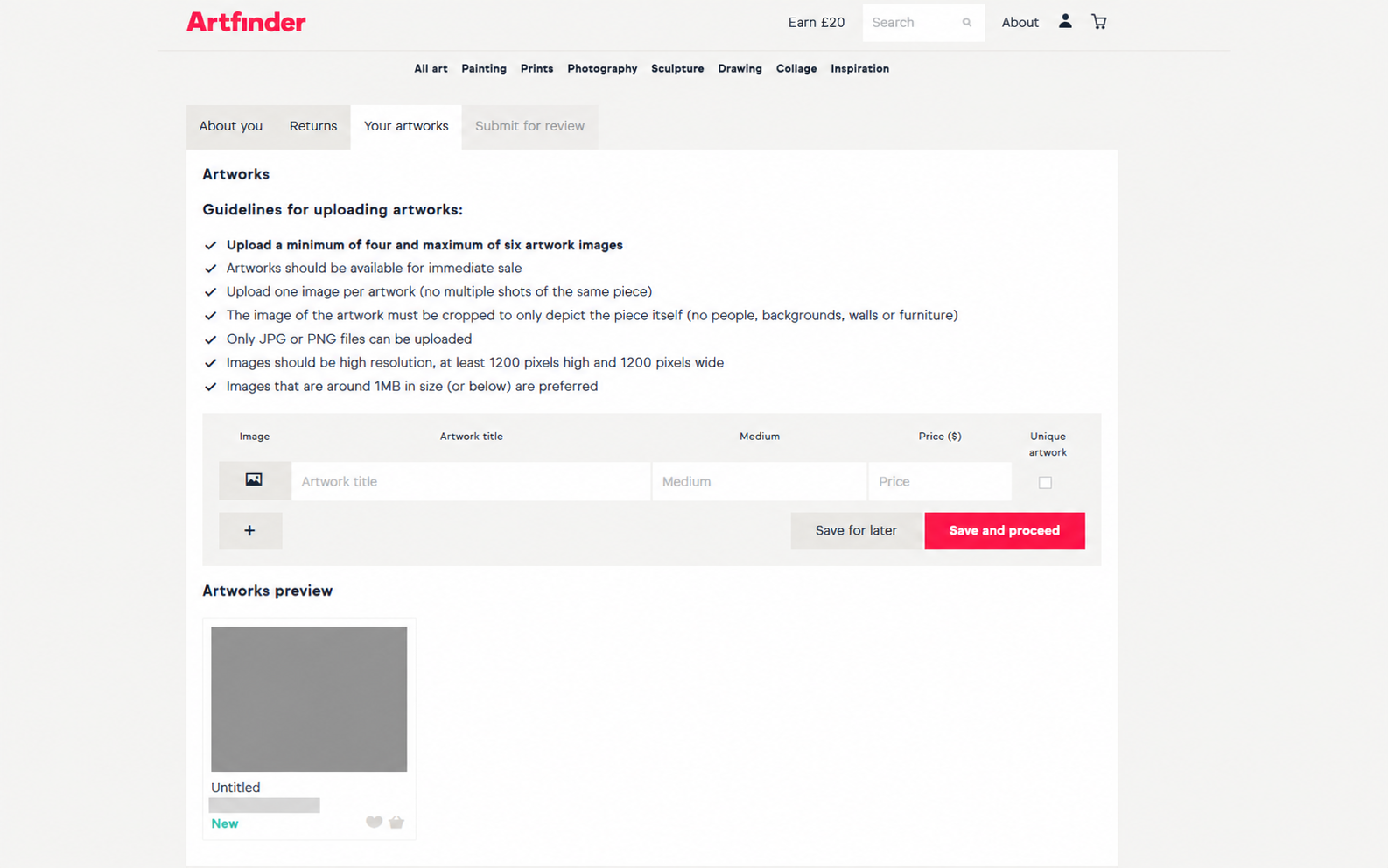
At this stage, upload 4 to 6 artworks. Choose your strongest works and pieces that best represent your style.
Image requirements
- upload the artwork itself without unnecessary interior surroundings;
- do not use photos with people, furniture, or decorative backgrounds;
- use high-quality JPG or PNG images;
- do not add watermarks;
- a straight, front-facing photograph of the artwork is usually best.
What to enter for each artwork
- Artwork title — the title of the artwork;
- Medium — the materials and technique, for example Oil on canvas or Acrylic on canvas;
- Price — the price;
- Unique artwork — select this if the work is a unique original.
Use the + button to add the next artwork. Once all required works are complete, click Save and proceed.
Step 11. Submit your application for review
After completing About you, Returns, and Your artworks, the final stage — Submit for review — will become available.
Before submitting, check everything again:
- your first name, last name, phone number, and email are correct;
- the shipping country and currency are correct;
- your artist description is complete;
- the returns address is correct;
- 4–6 artworks have been uploaded;
- each artwork has a title, medium, and price.
Once everything is correct, submit the application for review.
Step 12. What happens after you submit your application
After you submit the form, Artfinder reviews your artist profile and the artworks you uploaded. This is not instant: the platform's team first reviews the application, and only after approval do you gain access to the full seller tools.
Keep an eye on your email and remember to check your Spam folder.
What to do after approval
Once Artfinder approves your application, the seller dashboard will become available. You will then need to configure:
- your artist profile;
- shop information;
- payout details;
- shipping;
- prices and selling terms;
- artwork listings with full descriptions.
Quick summary
- Go to Artfinder.com.
- Create a standard account.
- Find Apply to Sell in the footer.
- Select Apply as an Independent Artist.
- Complete the About you section.
- Enter your address in Returns.
- Upload 4–6 artworks in Your artworks.
- Submit the application through Submit for review.
- Wait for approval and then configure your shop.