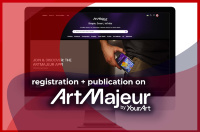


Guide: registering and publishing paintings on Artmajeur
Continuing our series of articles on popular platforms for Ukrainian artists and sculptors seeking to enter the international art market. In this guide, we will break down in detail the process of registration and publication of artworks on one of the most stable European platforms — Artmajeur.
Registration and Publication of Paintings for Sale on Artmajeur: A Complete Guide
Artmajeur is one of the oldest and largest art platforms (based in France). Its main difference from Saatchi Art and other marketplaces lies in its account architecture: here, the functions of management and artist presentation are separated. The platform allows a single user to manage the profiles of several artists at once, making it an ideal tool not only for independent artists but also for gallery owners or art dealers.
For a professional artist, presence on Artmajeur represents prestige and recognition from Western collectors, as well as a real opportunity to diversify income and enter markets in Europe, the USA, and Asia.
Previously, we published an article about registration on the Saatchi Art platform. You can study this guide by following the link. |
The Artmajeur platform possesses colossal traffic (over 1 million visitors per month) and powerful promotion tools. In 2025, the site underwent a massive transformation following a deal with YourArt. Despite technical maintenance during the transition period, the updated design and functionality have been working stably since 2026, maintaining the high purchasing power of its audience.
Stage 1. Registration: Creating a User Account
It is important to understand: Artmajeur distinguishes between a "User Account" and an "Artist Profile." First, you create a "manager's" personal cabinet, and only then do you register a creative identity within it.

- Click the "Login / Registration" button.
- Carefully select the account type: Artist, Art Gallery, or Art Dealer. Available management tools depend on this choice.
- Enter a valid Email (sales notifications will be sent here) and create a strong password.
Stage 2. Creating and Setting Up the Artist Profile
After activating the general account, the system will suggest setting up an author profile. Even if you represent yourself, you must create an "Artist" entity.

Click the "Add new artist" button on the right side of the screen.

If your works have previously been exhibited by galleries on this platform, try searching for yourself. If you are registering for the first time, click "Create new."
Main Profile Sections:
- First and Last Name: Strictly in Latin characters, as in your international passport. This is critical for further verification and receiving payments.
- Specialization: Painting, sculpture, photography, graphics, etc.
- Artist Bio: Text between 500 and 1000 characters. It is recommended to write in the third person. Mention your education, creative concept, and key themes. Remember: Artmajeur collectors value an artist's intellectual background.
- CV (Resume): A list of exhibitions, awards, and competitions. This is your "social capital," confirming the value of your work for investors.
Stage 3. Publishing Paintings: Step-by-Step Algorithm
The process of adding works to Artmajeur is optimized for search engines (SEO), which helps your paintings appear in Google search results.
Step 1. Visual Content (Photos and Video)
Image requirements here are above average, as the system uses detailed zoom algorithms:
- Format: JPG or PNG.
- Resolution: Minimum 2000 pixels on the shorter side.
- Quality: sRGB color profile.
- Clarity: The main photo must not have watermarks, interiors, or frames. Only the work itself.
Remember: the buyer is thousands of miles away from you. Photos must provide a complete representation of the canvas texture and color nuances. High-quality lighting is key to ensuring the collector's expectations match reality.

Important: The first photo should be a cropped image of the work without white borders or extra details. For additional photos, use the "Details" (macro of brushstrokes), "Artist at work," or "Painting in interior" labels. Having a photo of the artist holding the painting helps the buyer instantly understand the scale of the work.
An additional advantage of the platform: even on a free account, you can add a link to a YouTube video. Use this to show the play of light on the painting's surface, the colors under different lighting, and the detailing and texture of brushstrokes through macro filming.
Step 2. Metadata and Characteristics
- Title: Concise, in English.
- Work Type: Original, reproduction, or digital file.
- Materials and Technique: Select as accurately as possible (e.g., Material: Oil, Support: Canvas).
- Dimensions: Specify strictly in centimeters. An error of even 1 cm can lead to an incorrect logistics cost calculation.
Step 3. SEO Optimization: Tags and Description
Competition on the platform is immense. To ensure your work doesn't get lost, use all 10–15 available tags:
- Style: Abstract, impressionism, surrealism, etc.
- Subject: Landscape, still life, geometry.
- Description: Tell the story of the creation, describe the plot and emotion. This keeps the user on the page and increases the chances of a sale.
- Keywords: Use popular English queries (e.g., "modern abstract painting", "large blue canvas").
Stage 4. Sales Economics: Commissions and Prices
- System Commission: On a free account, it is higher (up to 35%); on a paid plan (Platinum), it decreases to 10-15%.
- Taxes: Depending on your tax residency (Ukraine), the platform may request tax forms. Be prepared to provide data if a platform manager sends a request.
- Price: You can include shipping in the price or list it separately. Experienced sellers recommend the "Shipping included" strategy, as a transparent final price is more attractive to Western buyers.
Stage 5. Logistics: Shipping from Ukraine
Artmajeur offers two paths:
- Self-shipping: You choose the courier (Ukrposhta, DHL, FedEx), securely pack the work, and enter the tracking number into the system.
- Artmajeur Shipping: The system generates invoices automatically (not available for all regions of Ukraine, requires current verification).
Packaging: Use professional materials — bubble wrap, foam, and dense five-layer corrugated cardboard. For premium works valued over $2000, a wooden crate is mandatory.
Stage 6. Identity Verification
To withdraw funds, you must verify your identity. Prepare:
- A scan of your international passport.
- Proof of address (English bank statement or utility bill).
- A PayPal account or Payoneer account to receive payments.
Conclusion: How to sell paintings on Artmajeur?
Artmajeur is a professional business tool. For sales to become regular, follow three rules:
- Consistency: Algorithms promote active users. Add 1–2 new works weekly.
- Portfolio Completeness: Add even previously sold works (marked as "Sold"). This builds a reputation as a sought-after artist.
- Speed: Respond to collectors' messages within 24 hours. A high response rating directly affects the ranking of your work in search results.
If you need professional assistance, the ArtDom gallery is always here to help:
- We arrange permits for exporting paintings abroad.
- We manufacture reliable boxes for paintings and sculptures.
- We organize turnkey international delivery.
We wish you inspiration and successful sales!
Follow the latest art market news on our social media:
Instagram |
Facebook |
Youtube |
Tiktok
Have questions? Need help? Contact ArtDom Gallery: